
TR-069 / ACS
TR-069 (CWMP) lets your CPEs call home so the portal can read their parameters and queue actions. LipaNet runs its own ACS: every ISP gets an isolated tenant with a stable inform URL, and each router gets its own management VLAN, DHCP scope and NAT rules that never touch your customer traffic. Navigate to: Sidebar → Networking → TR-069 / ACS → Dashboard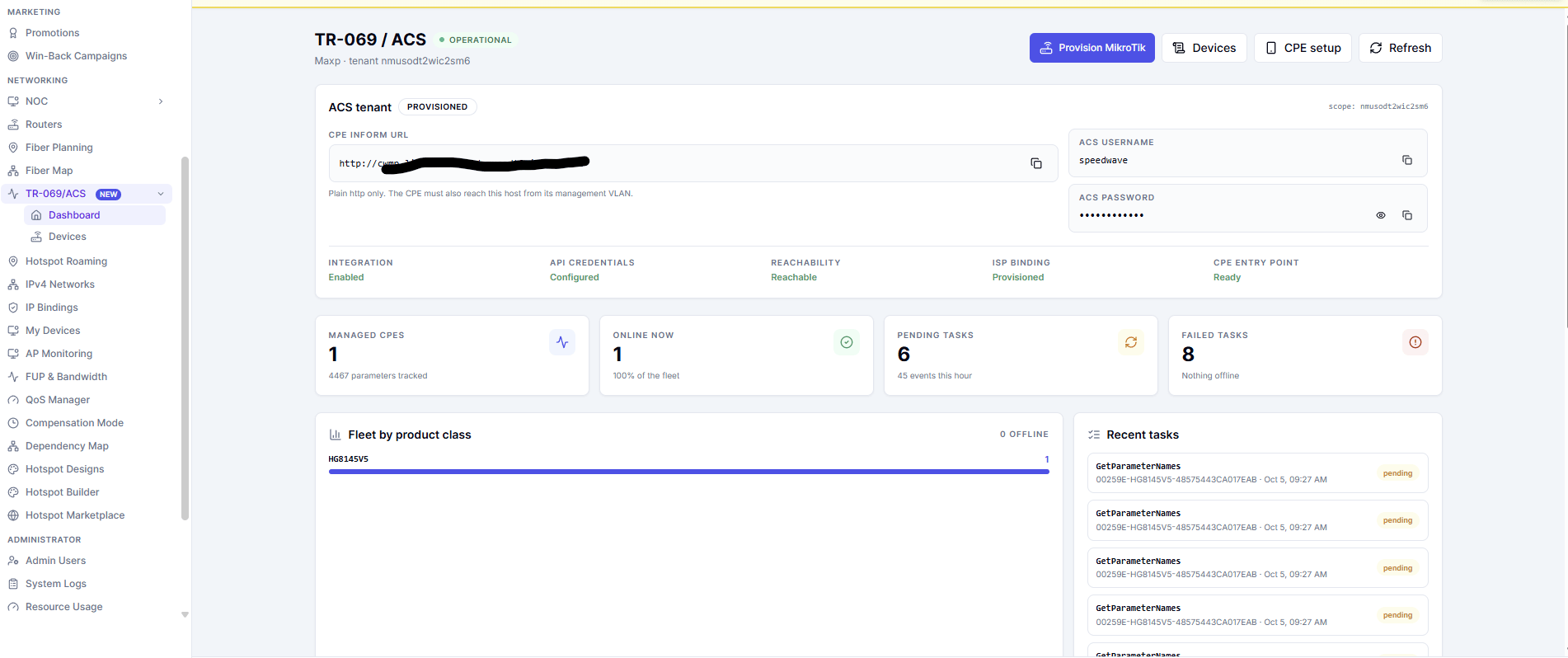
The dashboard
The header shows whether TR-069 is enabled and whether the ACS answered. Below it, the ACS tenant card holds everything a CPE needs:The inform URL is http only. CPE firmware has no CA bundle, so an
https:// URL fails the TLS handshake and the device goes offline with no visible error.- Managed CPEs, Online now, Pending tasks and Failed tasks.
- Fleet by product class — how many CPEs of each model have informed.
- Recent tasks — the actions queued for devices and their status.
- Recent CPE events — informs, faults and parameter changes.
Devices
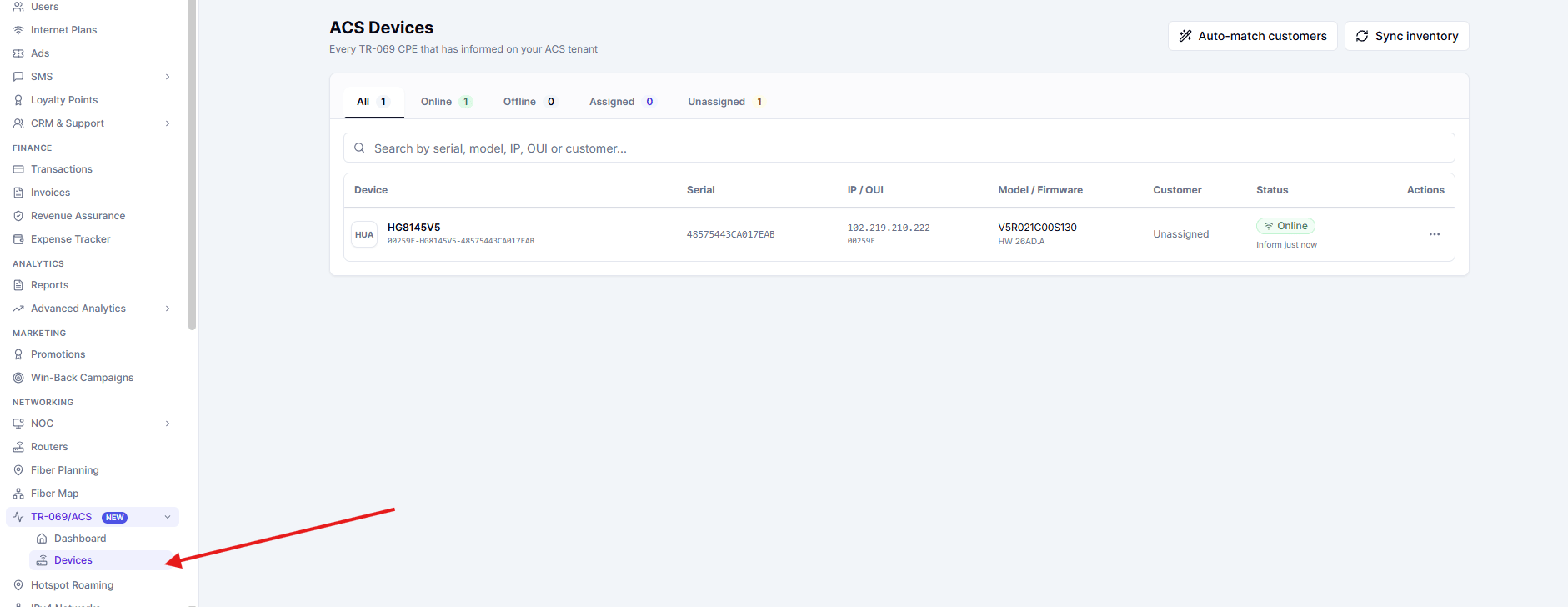
Networking → TR-069 / ACS → Devices lists every CPE that has informed. Click a row to open that device by its id.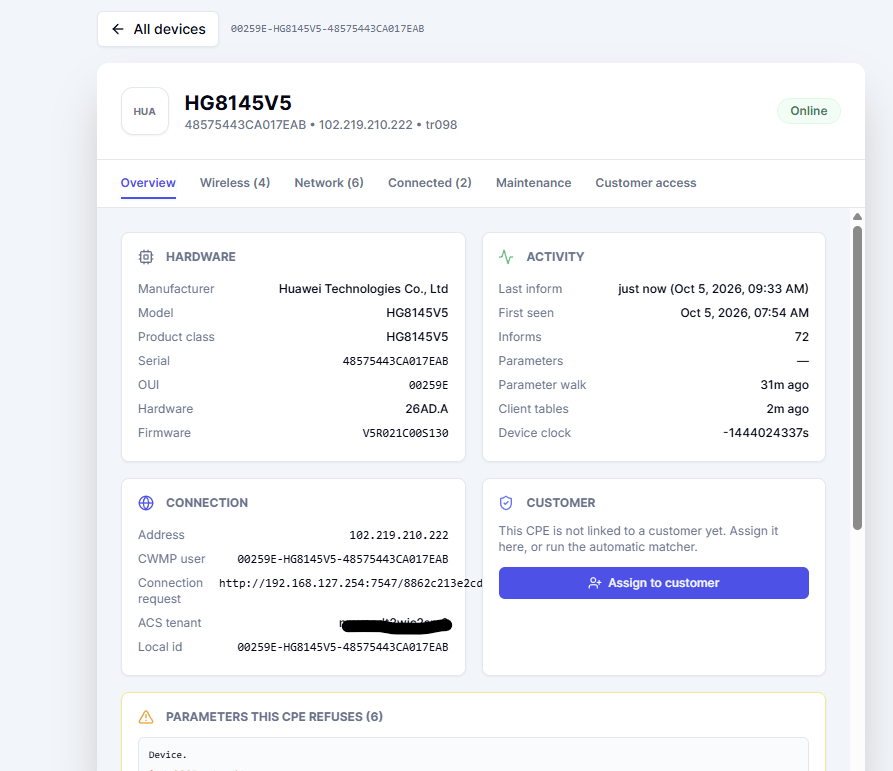
Provision the ACS network on a MikroTik
Press Provision MikroTik on the dashboard, pick the router, and LipaNet builds the whole management network on it.
Settings
Only free ranges are offered. The picker lists subnets that do not overlap the OpenVPN, WireGuard, hotspot, static or PPPoE ranges on that router, and picking one fills the field for you.
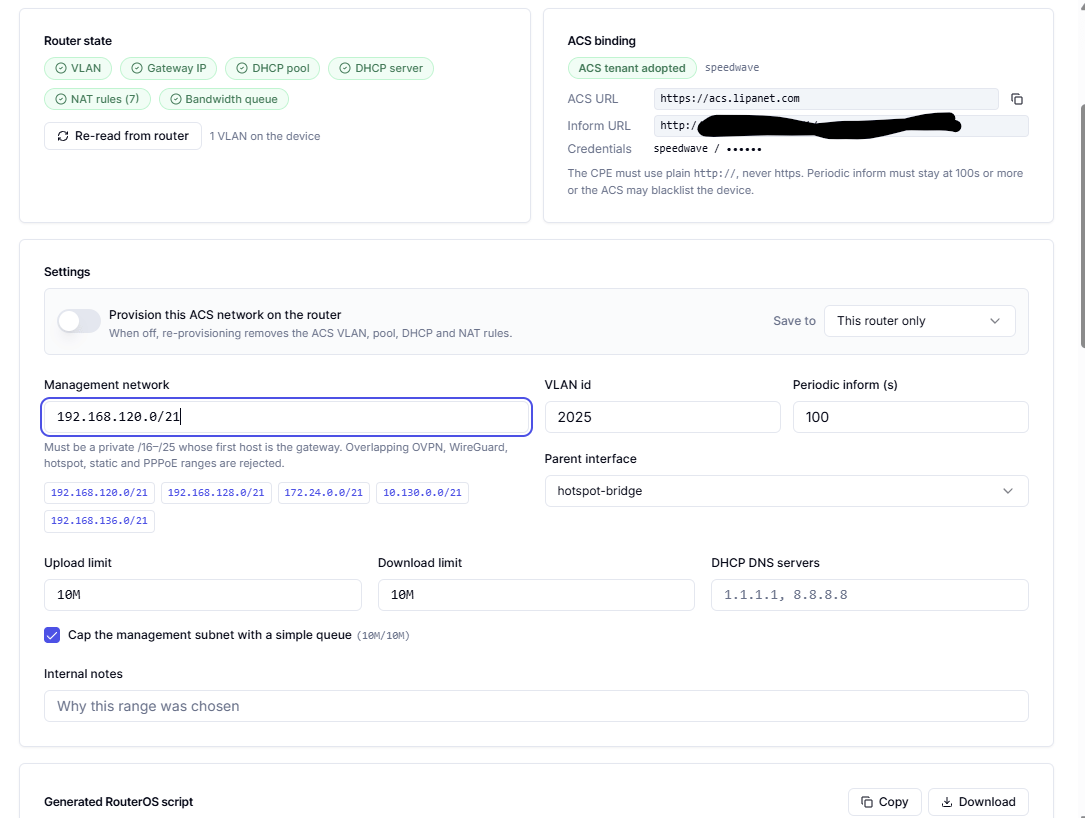
A range that overlaps anything already in use is rejected outright, so the ACS network can never take an address away from a customer or a tunnel.
Preview and apply
The preview shows every command that will run, the RouterOS script and the exact objects that will be created:- an
/interface vlantagged with the VLAN id, on the parent interface - the gateway
/ip addresson that VLAN - the
/ip poolfor the CPE addresses - an
/ip dhcp-serverand its/ip dhcp-server/network srcnatmasquerade rules for the management subnets- an optional
/queue/simplefor the bandwidth cap
What customers may change
The Customer access tab of a device decides what the customer sees in their portal (/cp → My router).
Every capability can be Inherit, Allow or Deny, and Wi-Fi visible by default controls new networks. Networks that are not marked visible stay on the device and are hidden from the customer.

Set up a CPE
Use the guide for the brand the customer has: Each page lists the exact URL, credentials, VLAN and inform interval to enter, step by step.Troubleshooting
The CPE never appears. Check the inform URL is
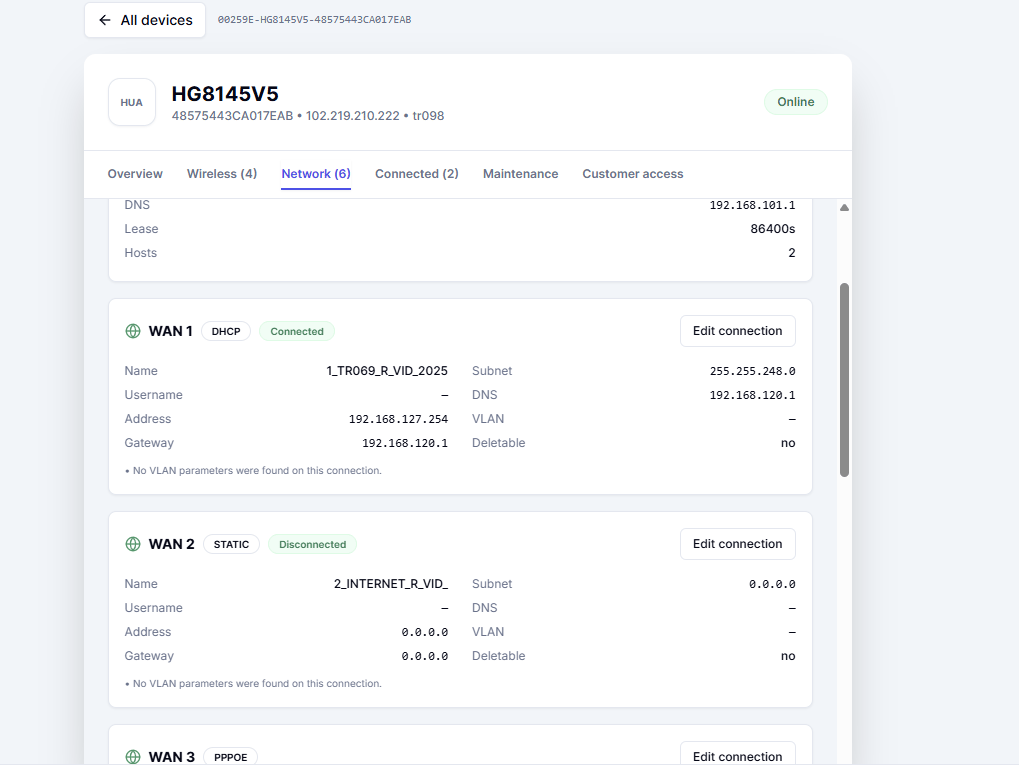
http://, the inform interval is 100 seconds or more, the VLAN id on the CPE matches the one provisioned on the MikroTik, and the ACS VLAN, pool and DHCP server exist on the router.The CPE appears but stays offline. Read its Network tab: the TR-069 WAN profile should hold an address inside the ACS pool. Nothing in the pool means the management VLAN is not reachable from the CPE.