
Payment Gateway
LipaNet supports the following gateways:- M-Pesa Paybill
- M-Pesa Till Number
- Bank Account
- Sacco Paybill
Before you begin
Have the following details ready:Party B is normally the same number as the shortcode. Only enter a different value when Safaricom has explicitly configured a separate receiving Paybill for your application.
How to configure
On your account, go to Settings → Gateways.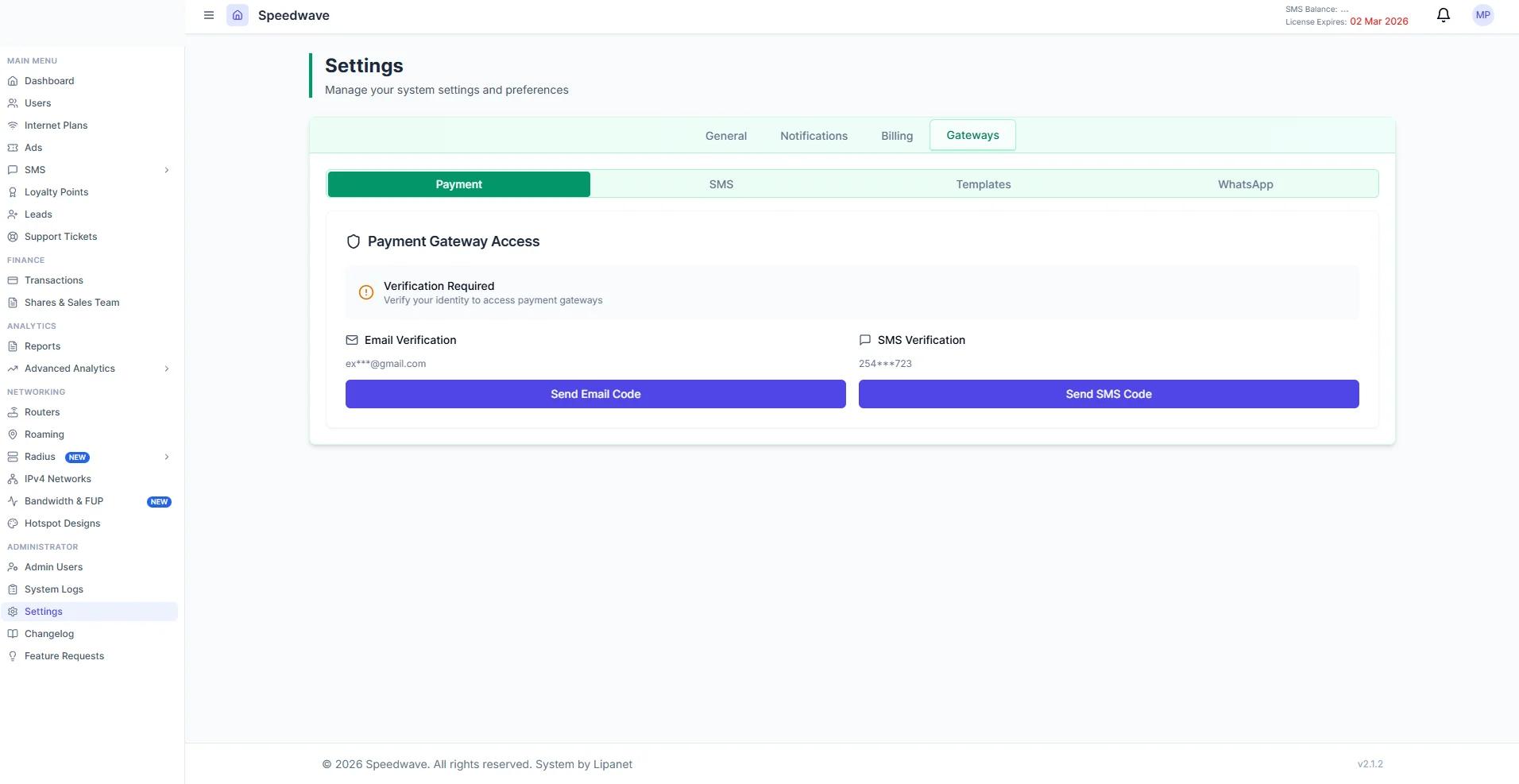
1
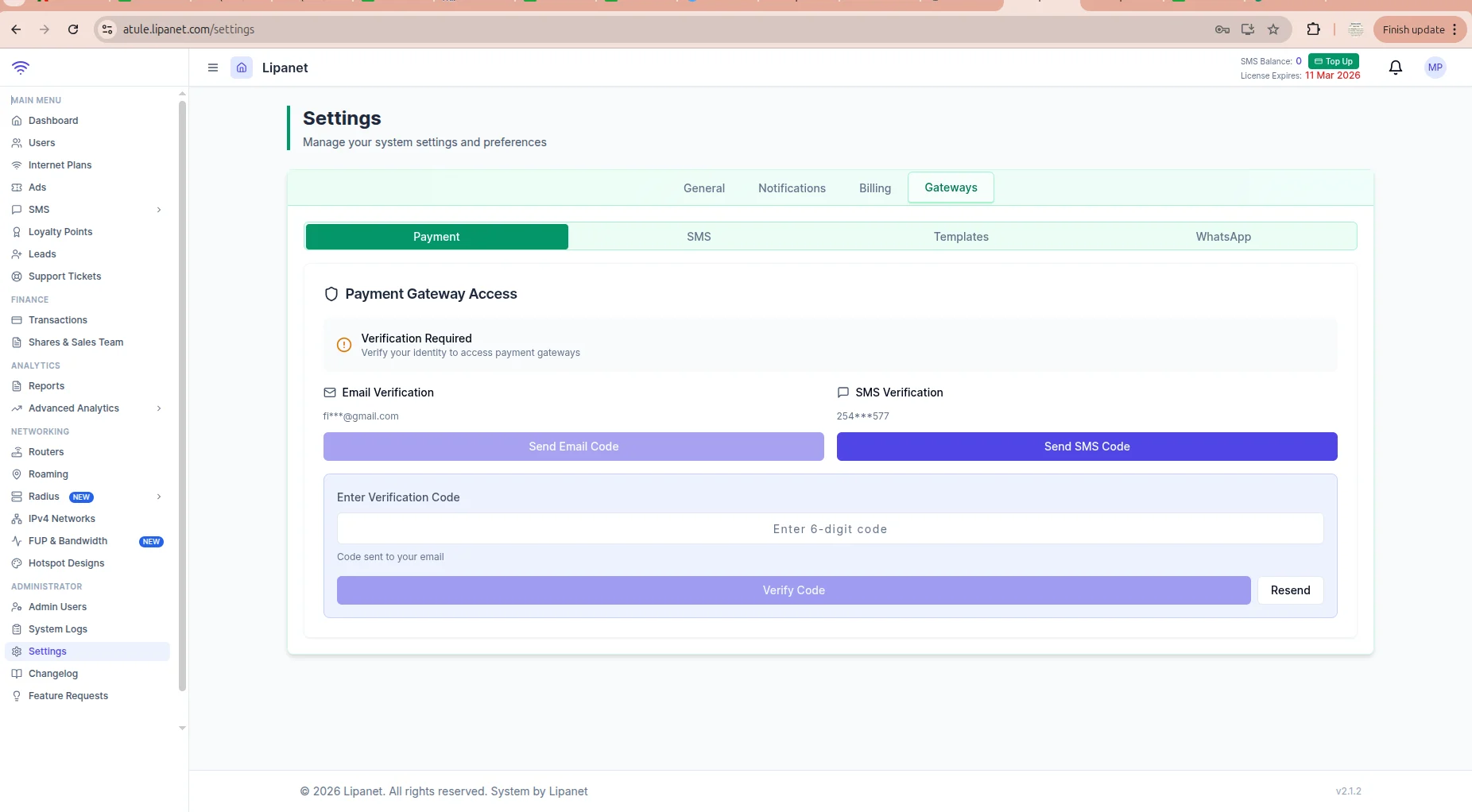
Complete security verification
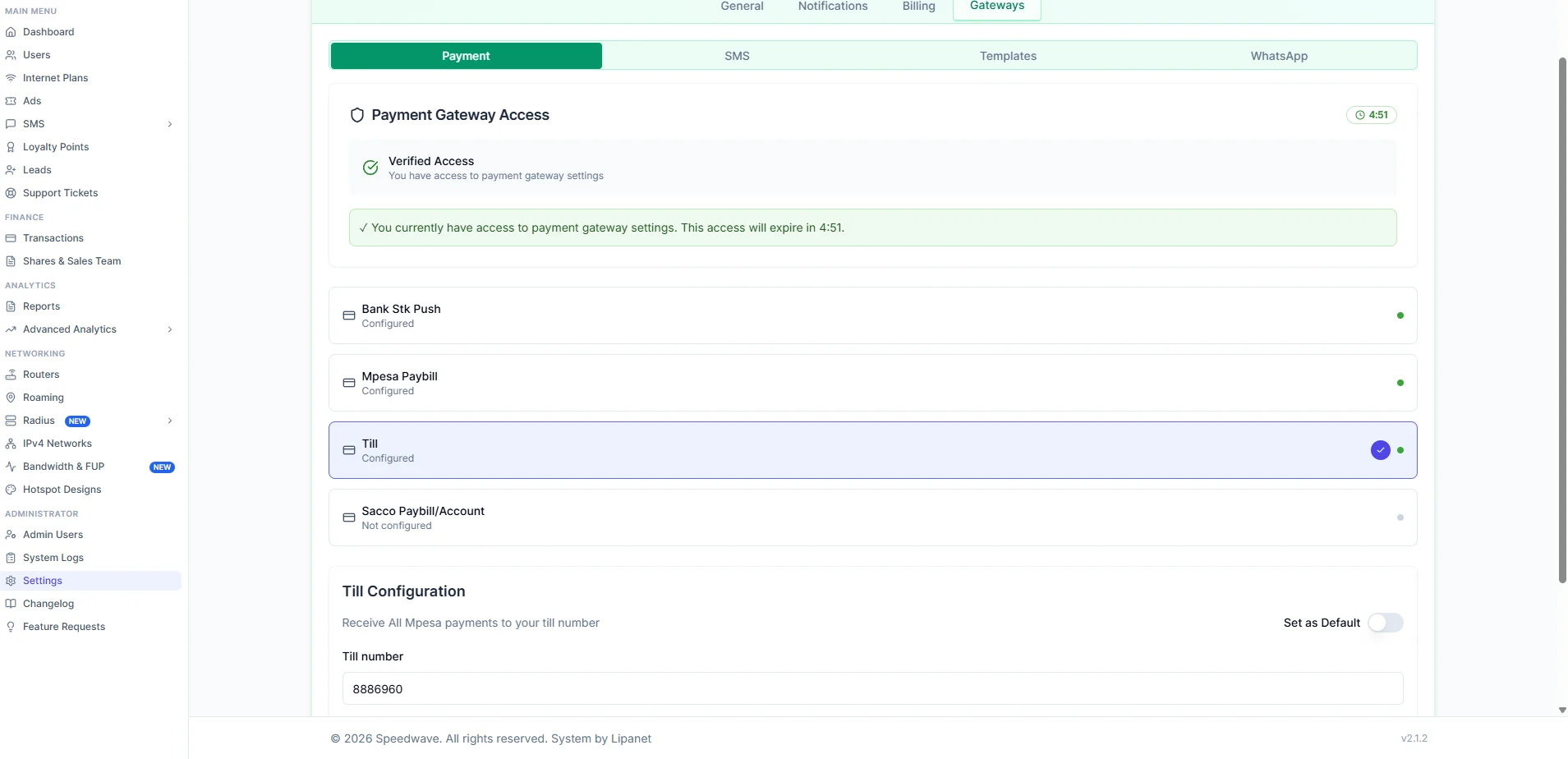
Request the verification code and enter it when prompted.Payment credentials remain unlocked for five minutes after successful verification.
2
Select M-Pesa Paybill
In the gateway list, select M-Pesa Paybill.
3
Enter the Daraja credentials
Complete the Paybill fields:
4
Choose whether this is the default gateway
Enable Default Gateway when this Paybill should receive payments unless a router has its own payment-gateway override.
5
Choose the validation behavior
Enable Validation to reject manual Paybill payments whose account reference does not match an existing customer or supported hotspot reference.Leave it disabled if Safaricom should accept the payment even when the account reference cannot be matched before payment.
6
Save the settings
Click Save Settings and wait for the success message.
Register the C2B URLs
URL registration tells Safaricom where to validate and deliver manual Paybill transactions.1
Confirm the saved Paybill
Verify that the Consumer Key, Consumer Secret, and Shortcode are saved under M-Pesa Paybill.
2
Select Register URLs
Click Register URLs below the Paybill settings.The portal authenticates with Safaricom and registers both C2B URLs. No URL needs to be typed manually.
3
Wait for confirmation
A successful request displays:
PPPoE and Static IP payments
PPPoE and Static IP customers use the same account-wide M-Pesa C2B callback registration. Their payment type does not require a separate Daraja callback URL or a separate gateway registration. The customer’s username or account reference is used to match the incoming Paybill payment. Before registering again, remove the old C2B URL registration in the Safaricom Daraja portal. Leaving an old registration in place can cause callbacks to be delivered to the previous application or address.1
Delete the existing Daraja registration
Open the Safaricom Daraja portal for the same Paybill and remove the existing C2B validation and confirmation URL registration.
2
Save the Paybill gateway in LipaNet
Return to Settings → Gateways → Payment, select M-Pesa Paybill, fill all required Daraja fields, and click Save Settings.
3
Register the new URLs
While M-Pesa Paybill is selected, click Register URLs. Do not look for this button under Till, bank, sacco, card, or other payment gateways.
4
Test a PPPoE or Static IP payment
Make a small Paybill payment using the customer’s exact username or account reference, then confirm the receipt appears under Finance → Transactions and is matched to the correct customer.
URL registration is account-wide for the Paybill. It supports payments for PPPoE, Static IP, and other customer services that match the configured account reference; it is not configured separately per router or per non-Paybill gateway.
URLs registered with Safaricom
The system builds the URLs from your assigned subdomain:acme and the portal domain is lipanet.com:
The registration response type is Completed. Safaricom therefore sends completed C2B transactions to the confirmation URL.
How account validation works
When Enable Validation is turned on:- A customer enters the Paybill and account reference in M-Pesa.
- Safaricom sends the transaction details to the validation URL.
- The system checks the account reference against the correct account.
- A recognized customer or hotspot reference is accepted.
- An empty or unknown reference is rejected before payment.
Test the setup
Use a small live payment after registering the URLs:- Open M-Pesa and select Lipa na M-Pesa.
- Select Pay Bill.
- Enter the configured shortcode.
- Enter a valid customer username or account number.
- Pay a small amount.
- Open Finance → Transactions in the portal.
- Confirm that the transaction appears with the receipt, amount, phone number, and account reference.
Updating credentials or URLs
Register the URLs again when:- The account subdomain changes.
- The portal domain changes.
- Safaricom clears or replaces the registered URLs.
- The Paybill shortcode changes.
Troubleshooting
M-Pesa Paybill is not configured. Save credentials first.
M-Pesa Paybill is not configured. Save credentials first.
The account-wide M-Pesa Paybill configuration has not been saved.Select M-Pesa Paybill, enter the credentials, click Save Settings, and then click Register URLs.
Consumer key, consumer secret and shortcode are required
Consumer key, consumer secret and shortcode are required
One or more credentials used for URL registration is empty.Confirm that the Consumer Key, Consumer Secret, and Shortcode contain the live values issued for the same Paybill.
Failed to authenticate with Safaricom
Failed to authenticate with Safaricom
LipaNet could not sign in to Safaricom with the details provided.Check that the Consumer Key, Consumer Secret, and Pass Key are the live credentials for the same Daraja application and Paybill. If the details are correct and the problem continues, contact LipaNet support.
Tenant has no subdomain assigned
Tenant has no subdomain assigned
URL registration cannot build a public callback address without an account subdomain.Assign a subdomain to the account, confirm that its HTTPS portal opens publicly, and retry registration.
Safaricom rejected the registration
Safaricom rejected the registration
Read the Safaricom message displayed by the portal. Common causes include:
- The shortcode is not linked to the Daraja application.
- C2B URL registration is not enabled for the Paybill.
- The callback host is not publicly reachable over HTTPS.
- The submitted credentials belong to another shortcode.
A payment was received but not matched
A payment was received but not matched
Compare the M-Pesa BillRefNumber with the customer’s username or account number in the portal.Also confirm that the incoming shortcode matches the configured M-Pesa Paybill. Unmatched payments should be reviewed before manually allocating them.