
How to get started
Connect the TV to the hotspot network On the TV browser, type 8.8.8.8. This will redirect you to our captive portal.On your TV, you will see the page with the 5-digit code
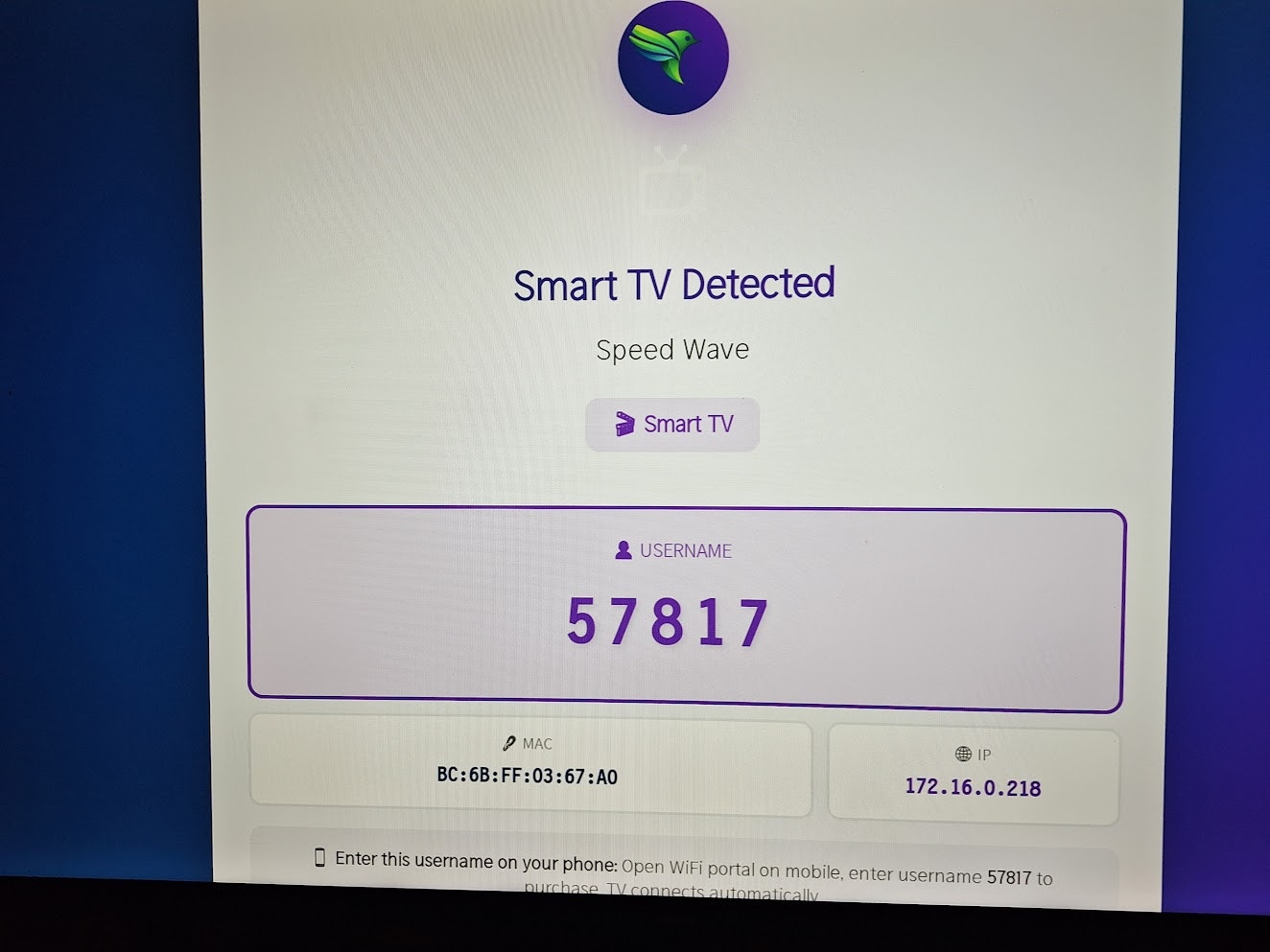
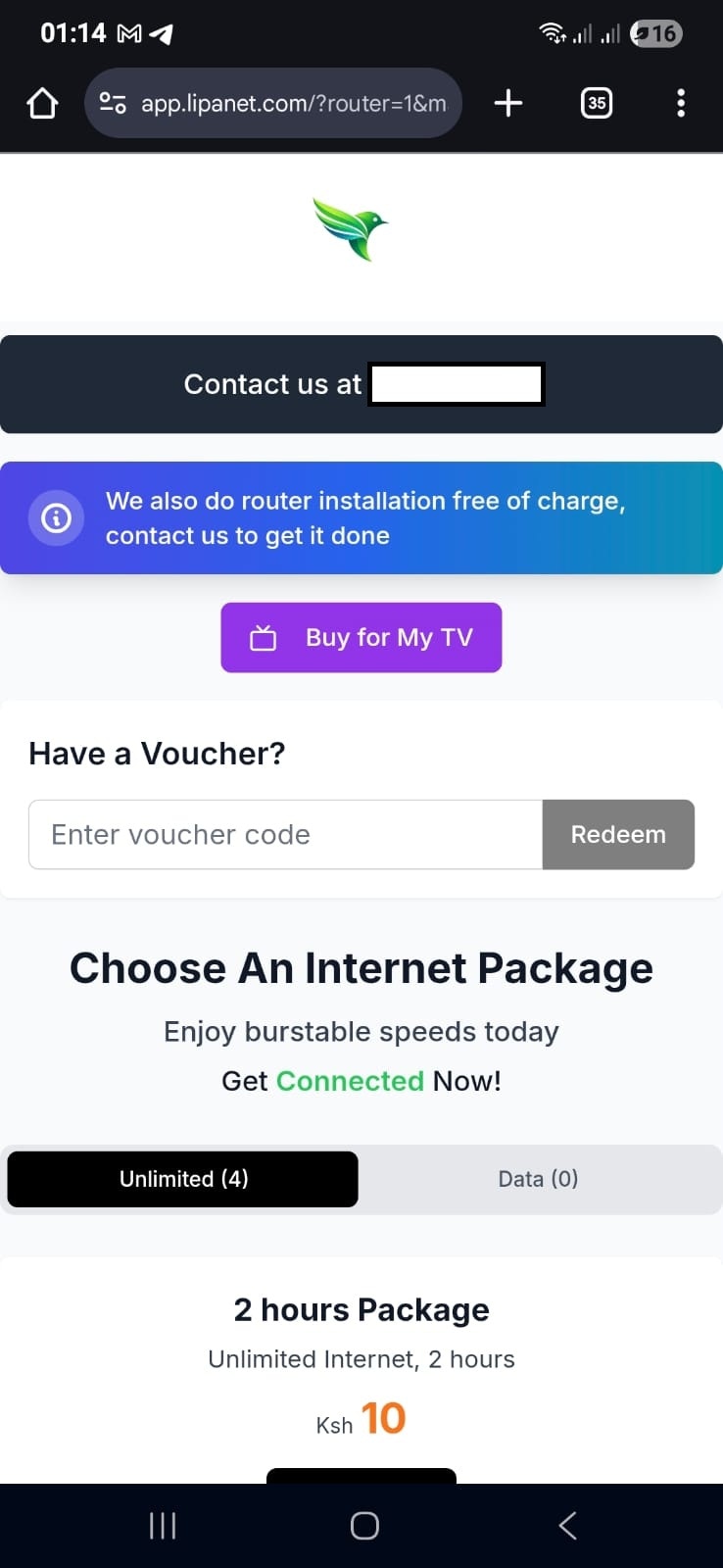
 To pay for the Tv, click the tv you want to pay for
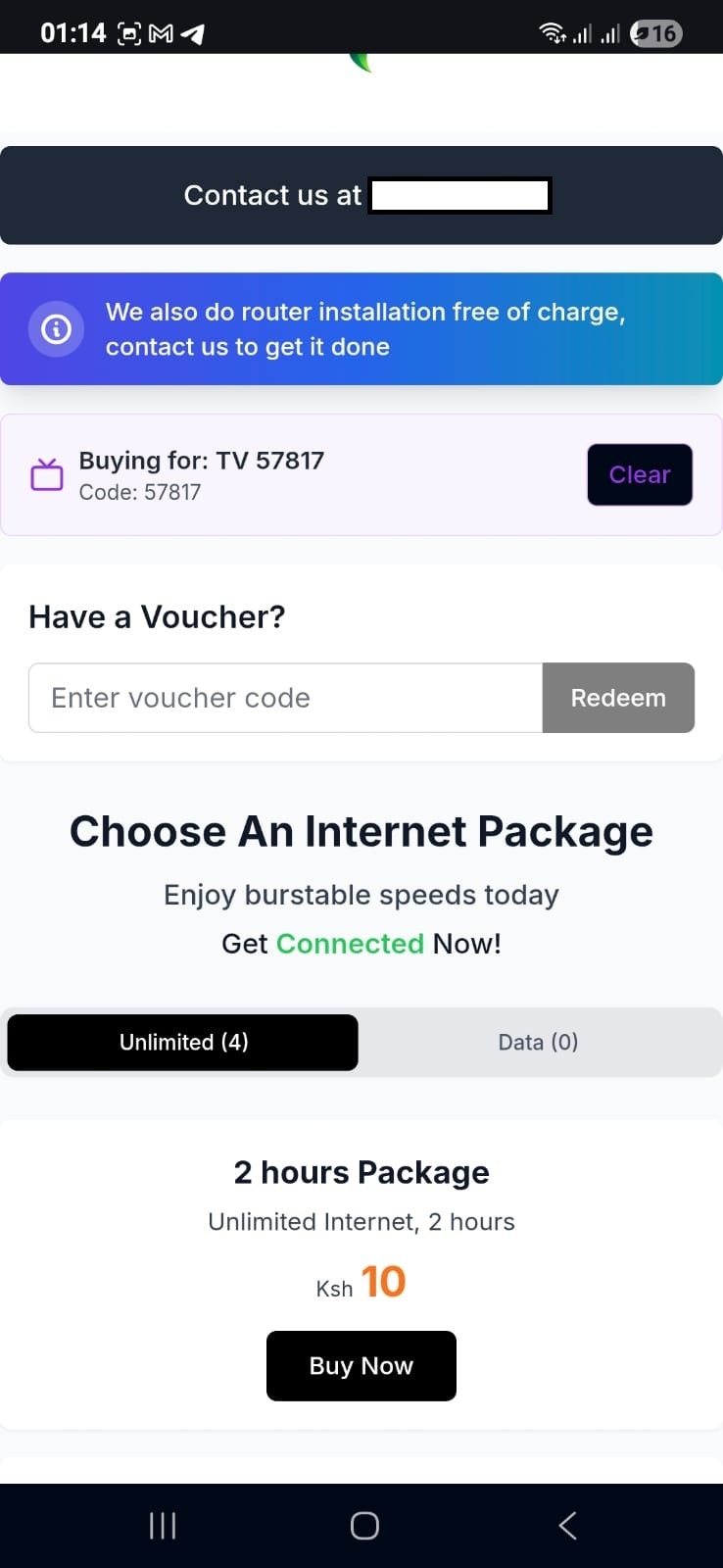
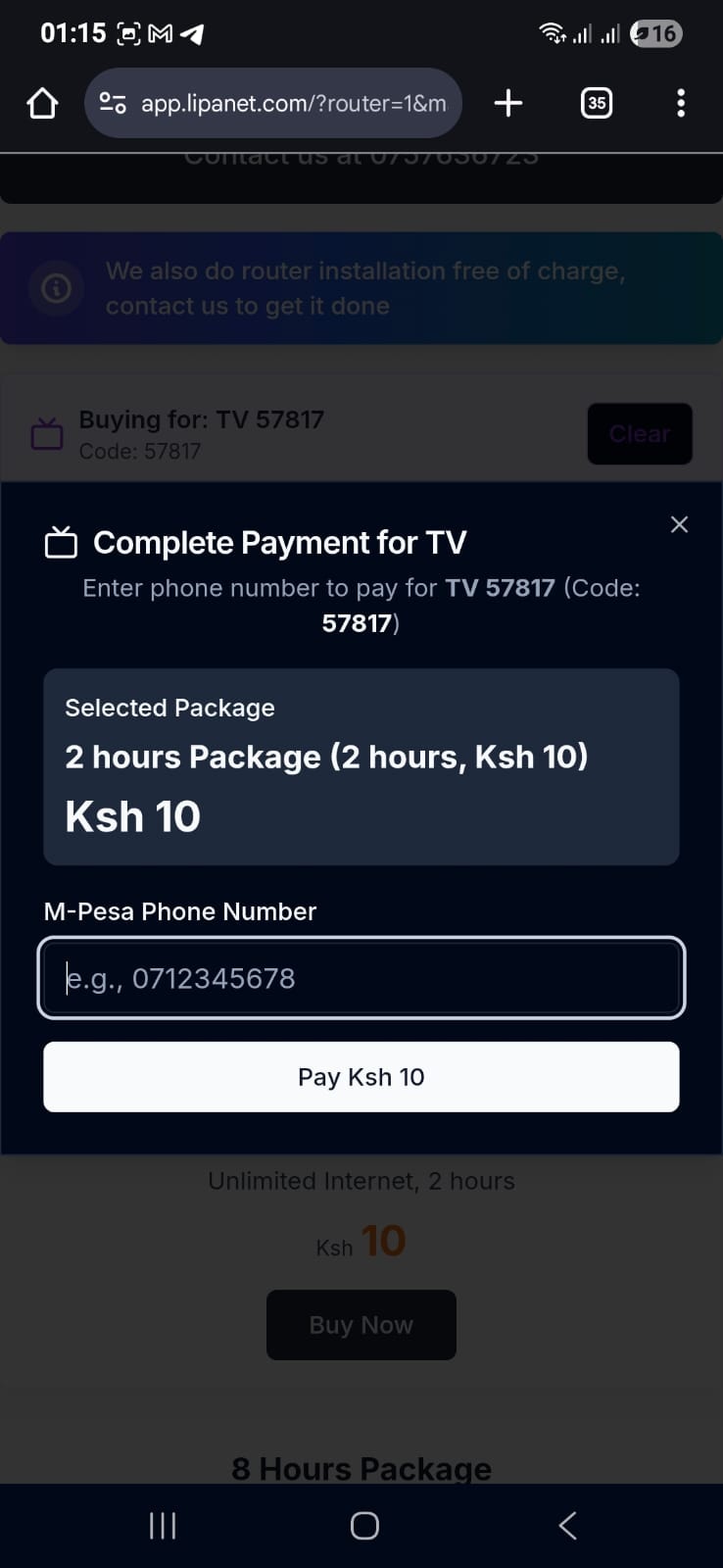
Lipanet gives you a flexible way you can pay for your Tv without needing of manually typing your mac address
To pay for the Tv, click the tv you want to pay for