Child Accounts
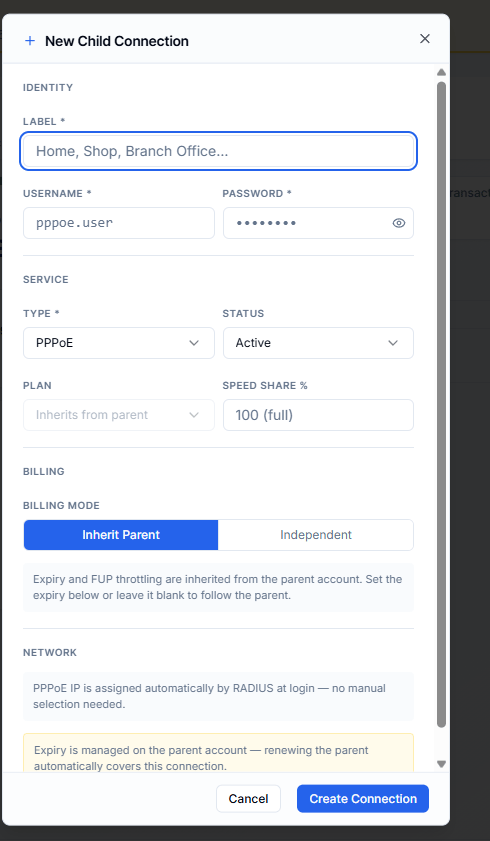
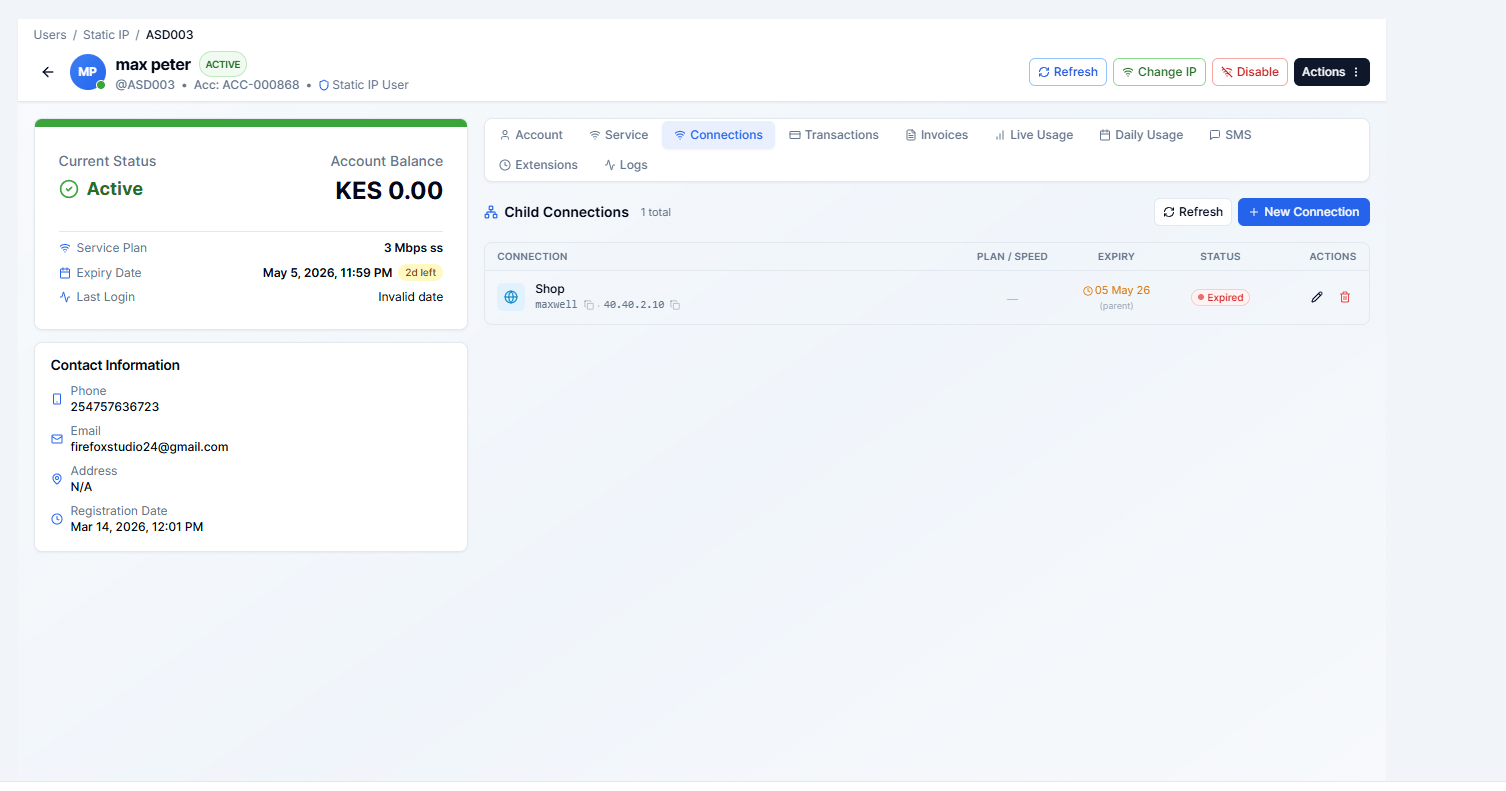
A child account is a secondary customer record that is linked to a parent customer. Child accounts are useful when one subscriber has multiple connections or devices that you want to track individually but bill together — or separately — under one client.
Navigate to: Sidebar → Users → open any customer → Connections tab
When to Use Child Accounts
- A business customer has offices at two locations, both billed to the same company.
- A landlord pays for internet across multiple units — each unit gets its own username but the landlord sees one combined invoice.
- A school has a staff connection and a student connection under the same account.
Adding a Child Account
- Open the parent customer’s detail page.
- Click the Connections tab.
- Click New Connection
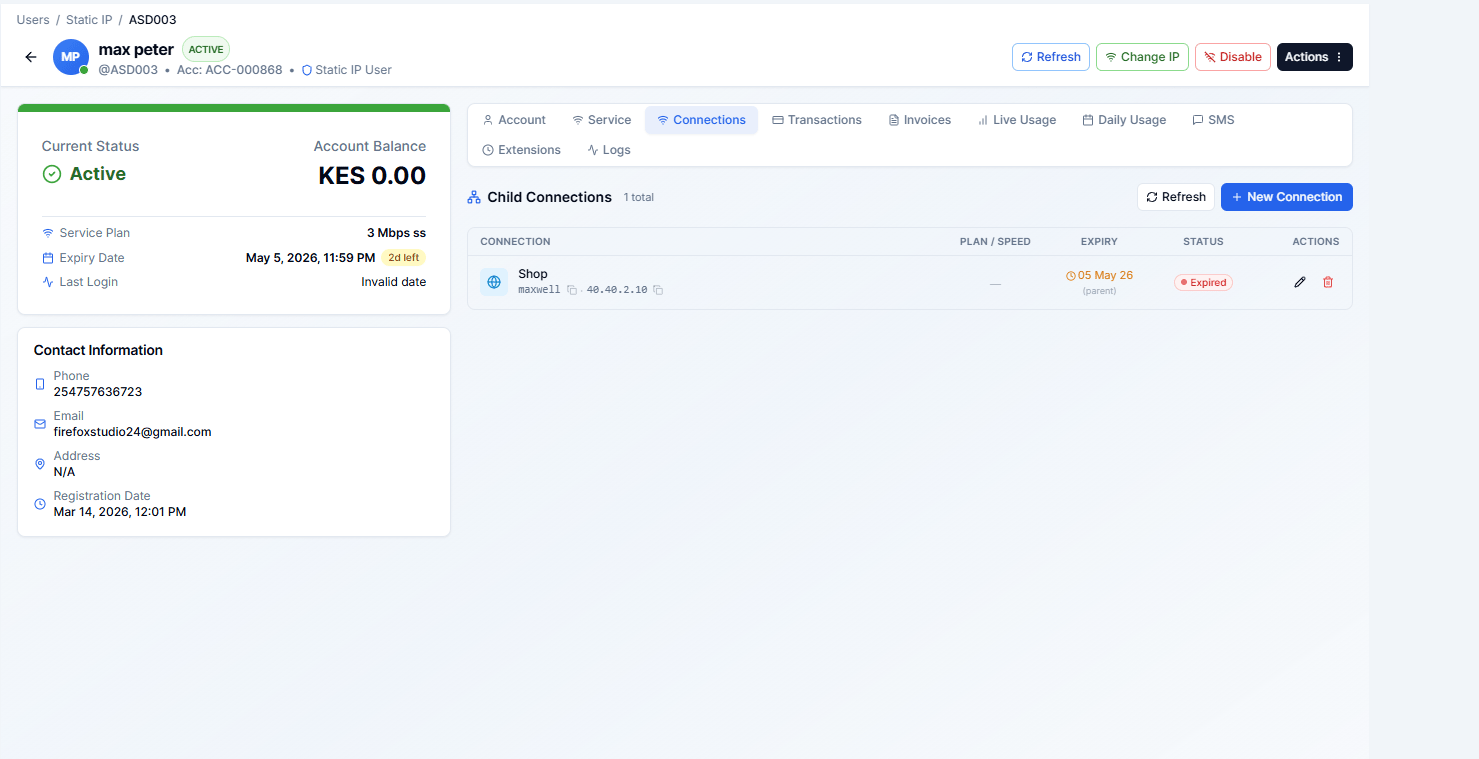
Fill in the child account form:
| Field | Required | Notes |
|---|
| Label | Yes | A friendly name for this sub-account (e.g. “Office 2”, “Ground Floor”) |
| Username | Yes | The login username for this sub-connection |
| Password | Yes | Login password |
| Plan | Yes | The internet plan for this child account |
| IP Address | No | Assign a specific IP if needed |
| MAC Address | No | Lock the account to a specific device MAC |
| Expiry Date | No | Leave blank to inherit the parent’s expiry |
| Invoice Mode | Yes | See below |
Invoice Mode
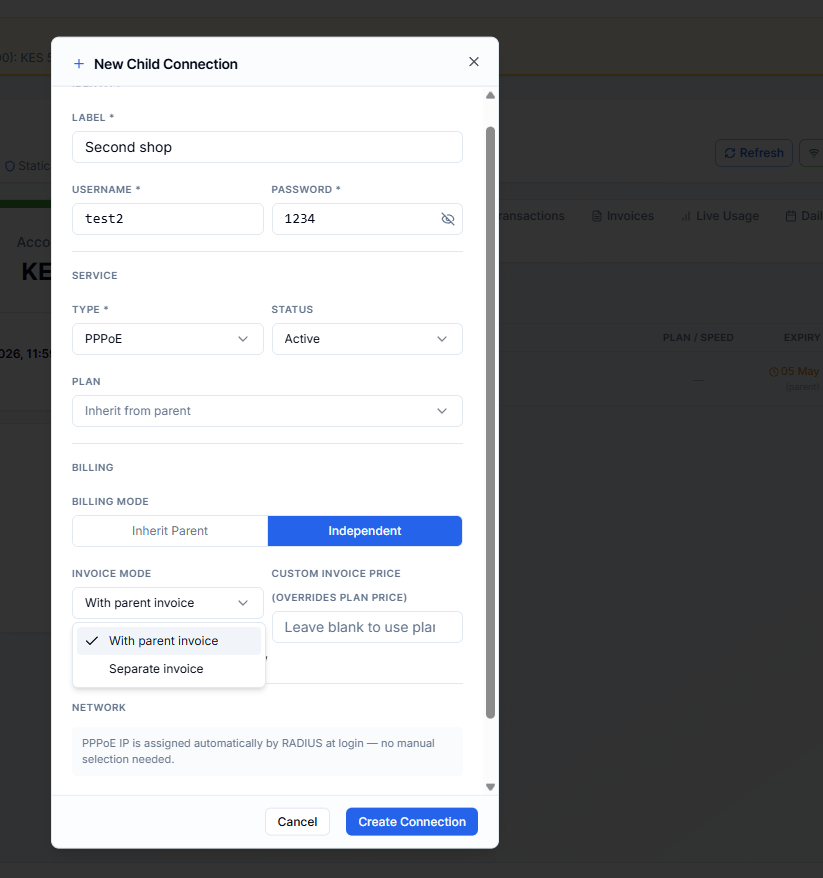
The Invoice Mode controls how billing works for the child account:
| Mode | What happens |
|---|
| With Parent | The child’s charges are bundled into the parent’s invoice. The parent pays for both connections together. |
| Separate | The child account gets its own independent invoice. Useful when the child location pays its own bill. |
Managing Child Accounts
From the Sub Accounts tab you can see all linked child accounts with their:
- Current status (Active, Suspended, Expired, Cancelled)
- Username and plan
- Expiry date
- Invoice mode
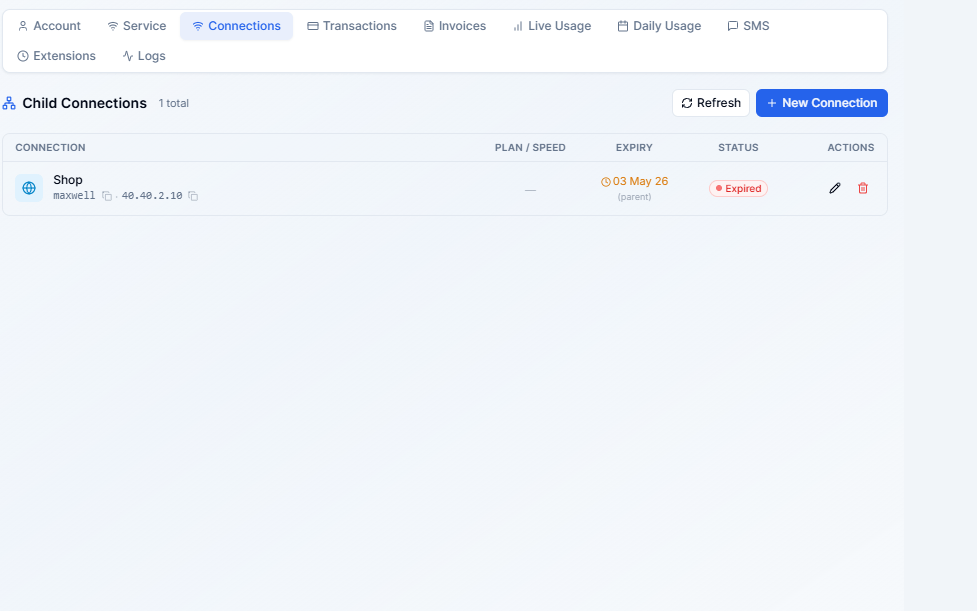
Actions per child account
- Edit — update the label, plan, IP, expiry, or invoice mode
- Suspend / Unsuspend — block/restore this specific connection
- Delete — remove the child account entirely
Deleting a child account is permanent. All its transaction and usage history will be removed.
Expiry Inheritance
If you leave the child’s Expiry Date blank when creating the child account, the child account automatically inherits the parent’s expiry date. When the parent renews, the child’s access is also extended.
If you set an explicit expiry on a child account, that date takes precedence over the parent’s expiry.
Viewing Child Accounts Across All Customers
To see a summary of all customers with child accounts, use the Dual Device Users view under Users. This is particularly relevant for hotspot customers whose plan allows a companion/second device.