In Lipanet, you can smoothly change your customer’s ip address and assign a new one
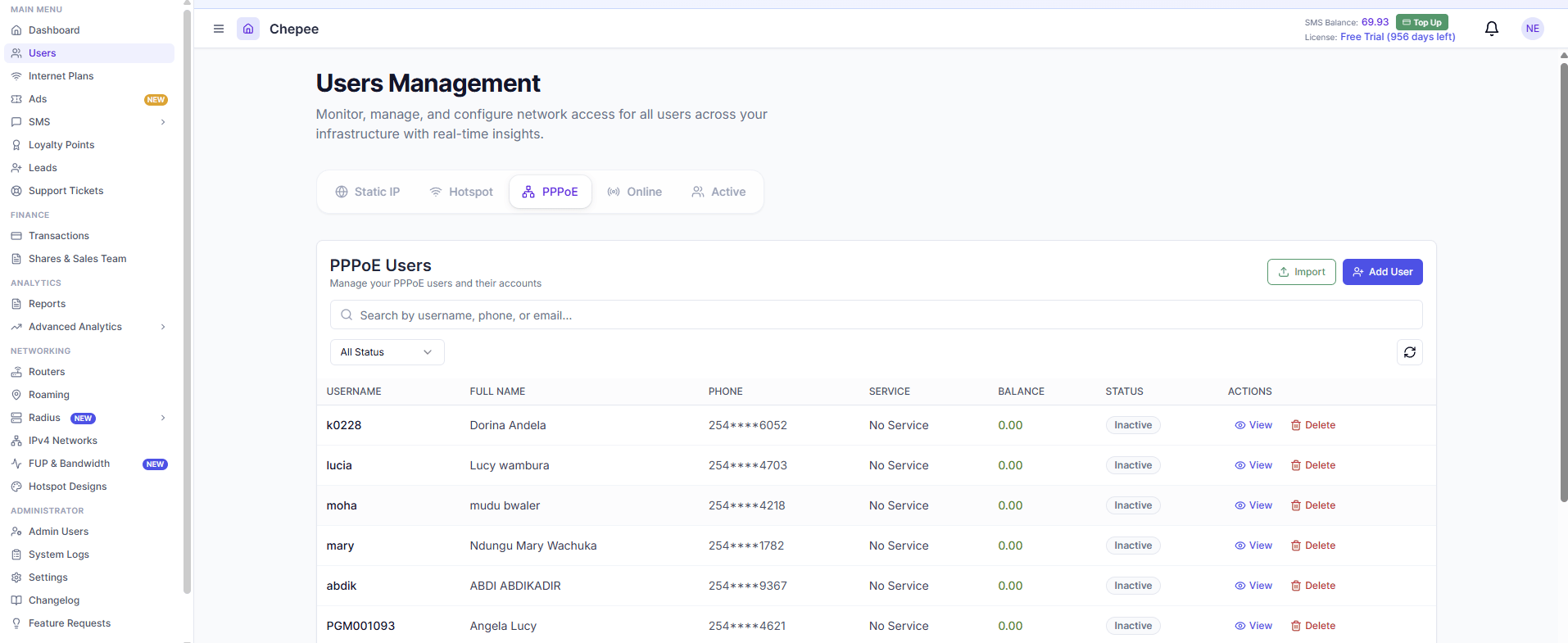
This can be helpful if the customer was given the rogue IP (by our radius firewall) due to a password mismatch. To do this, proceed to users.
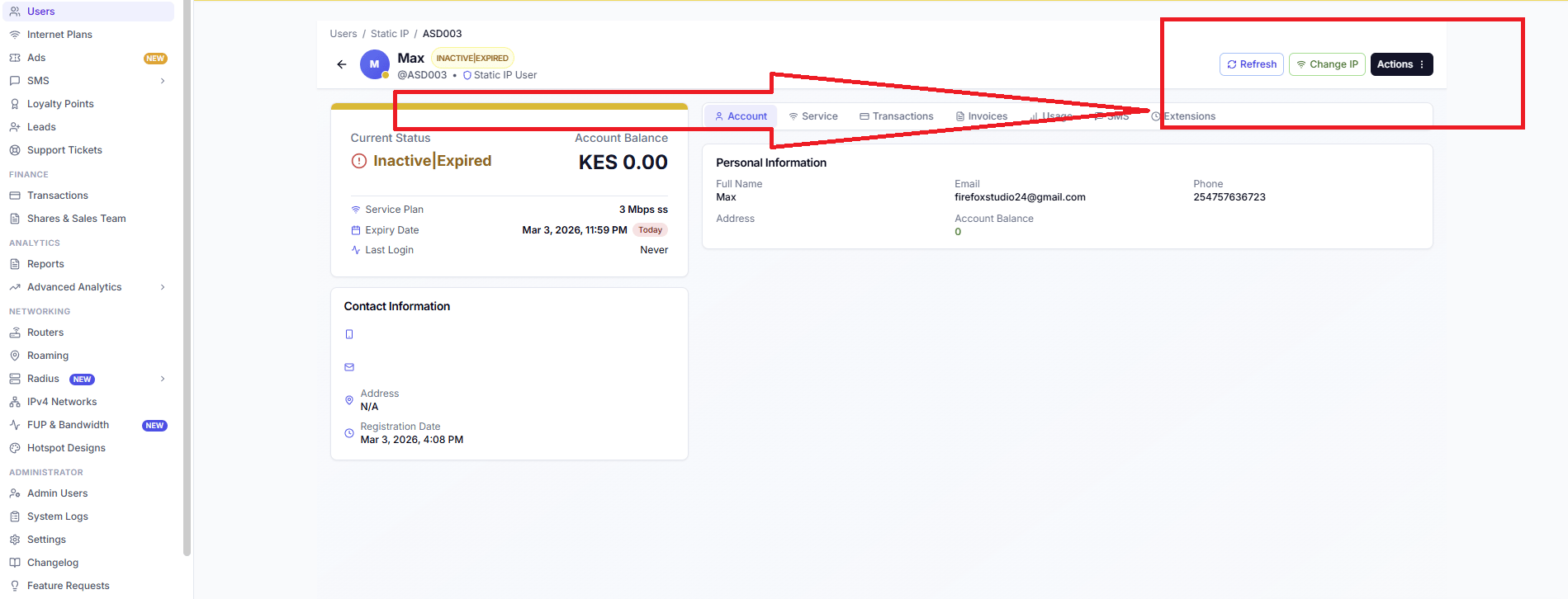
Click View. You will be redirected to the customer’s page. At the top, you will see several icons. There is a change IP Icon,
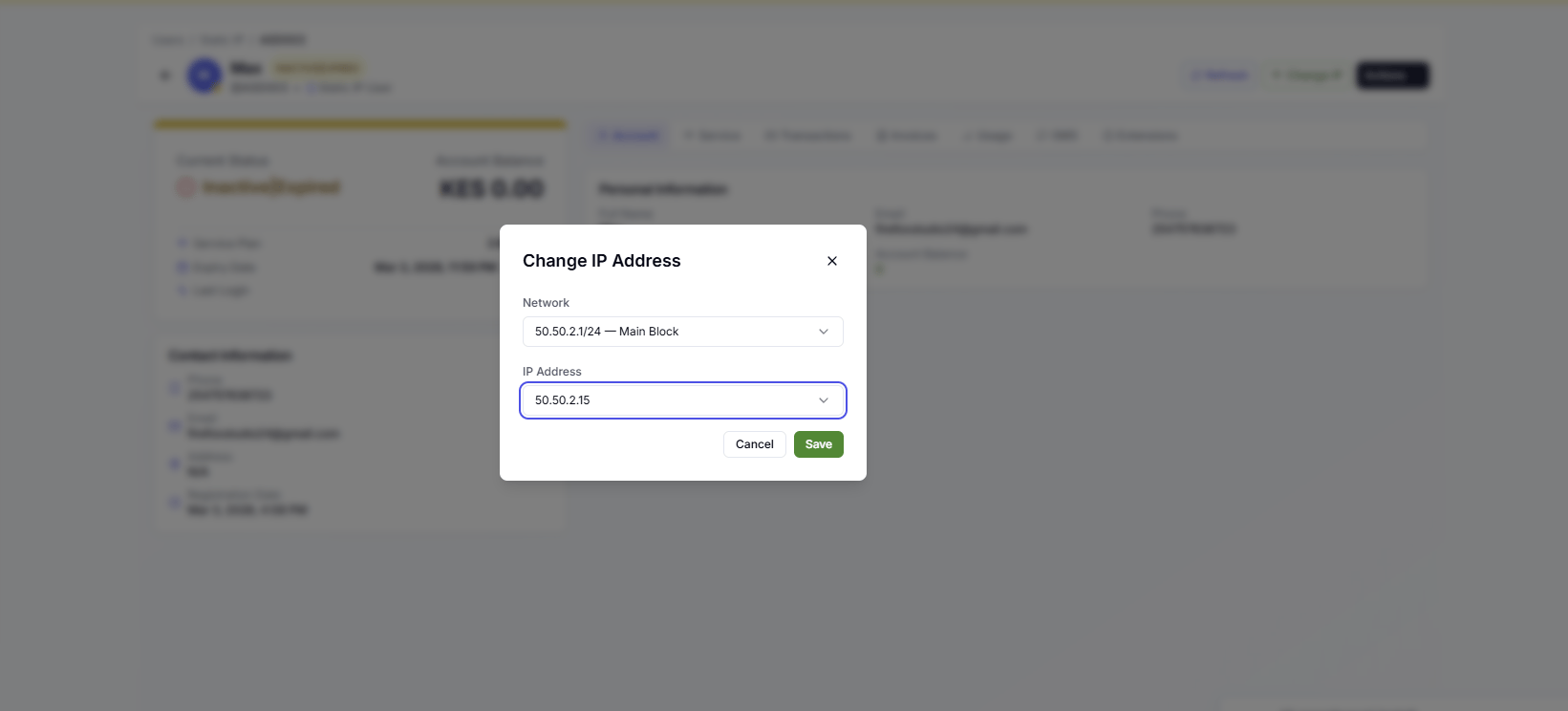
Then select your new IP
Click save, and the new customer config will be pushed immediately