> ## Documentation Index
> Fetch the complete documentation index at: https://wiki.lipanet.com/llms.txt
> Use this file to discover all available pages before exploring further.
> Lipanet gives you a flexible way you can pay for your Tv without needing of manually typing your mac address
# Pay for Tv
## How to get started
Connect the TV to the hotspot network
On the TV browser, type 8.8.8.8. This will redirect you to our captive portal.\
On your TV, you will see the page with the 5-digit code
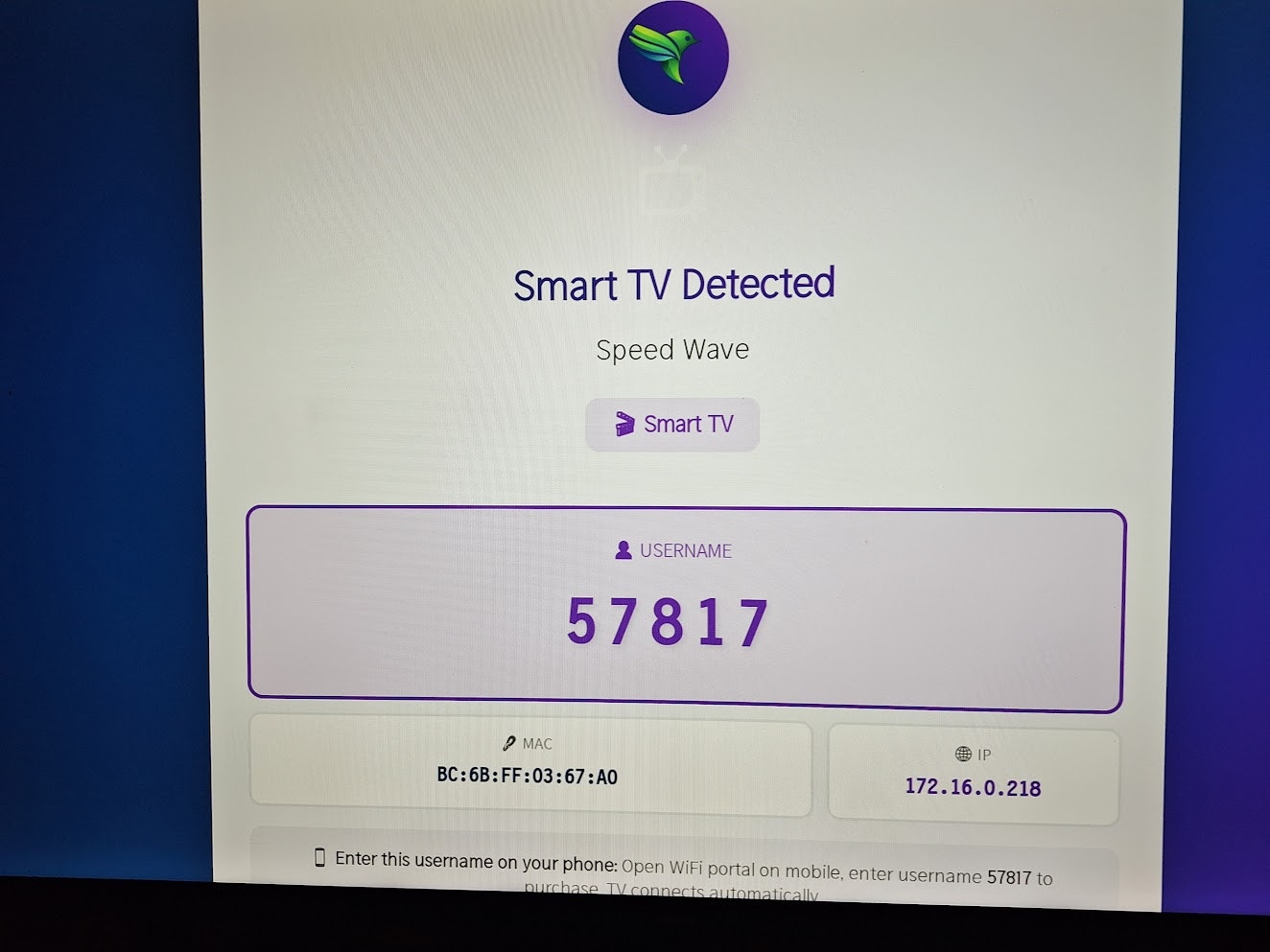 On your mobile, also visit **8.8.8.8** while connected to the network. This will redirect you to our payment page. You will be redirected to a page like this. Click **Buy for My TV**
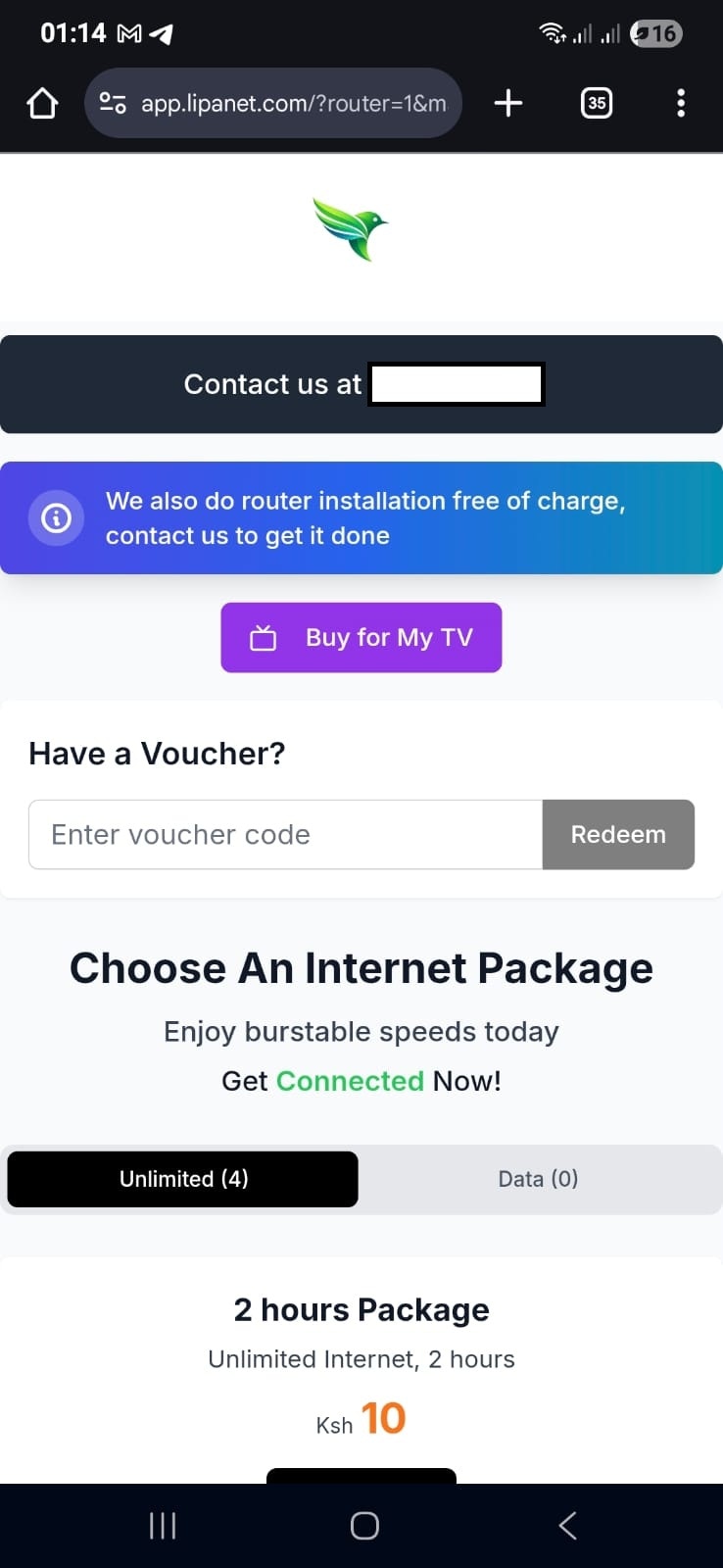 You will be asked for the TV username/code. Enter the code shown on your TV. Once you enter, the system will fetch your TV connections' details.
 To pay for the Tv, click the tv you want to pay for
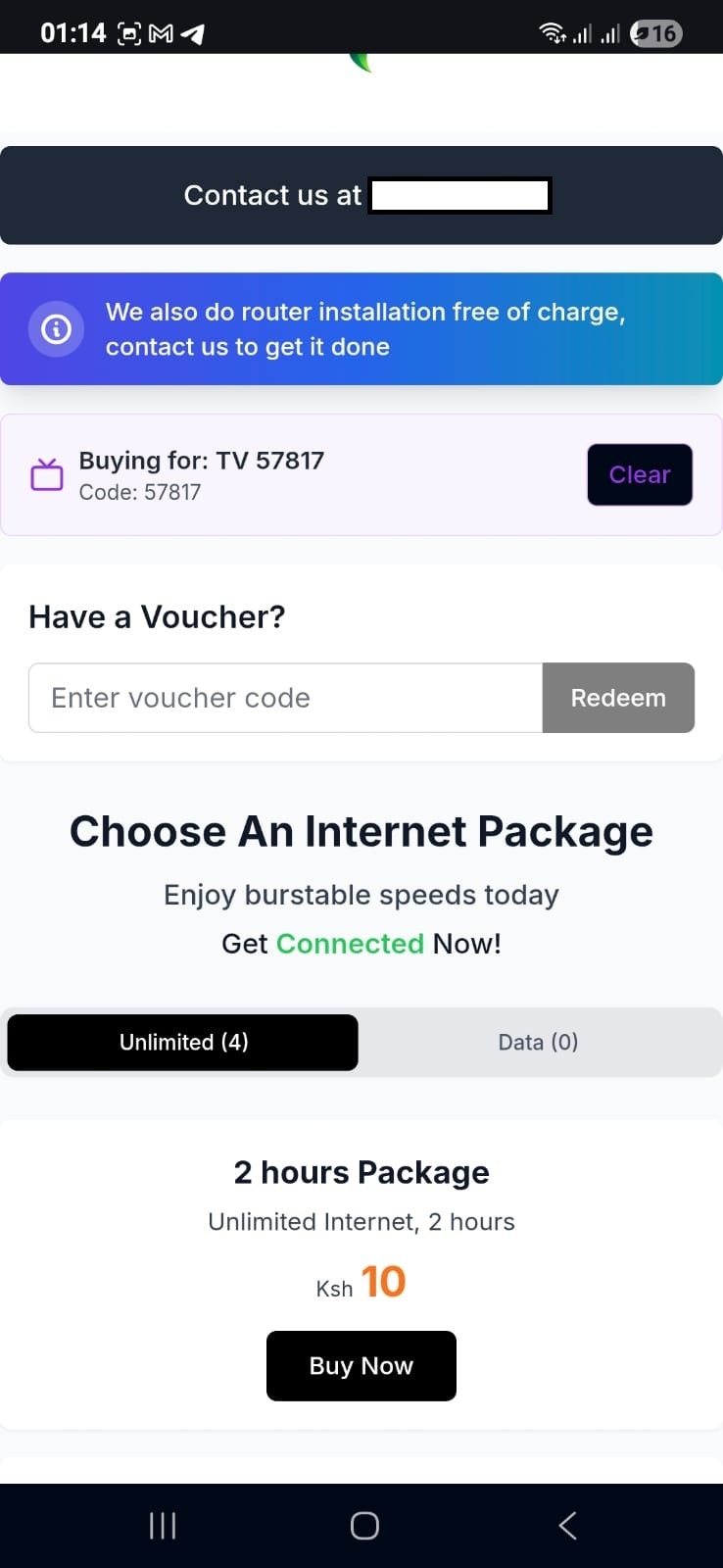 You will see a pop telling you the Tv you are paying for. Now select the package you want the TV to be connected to
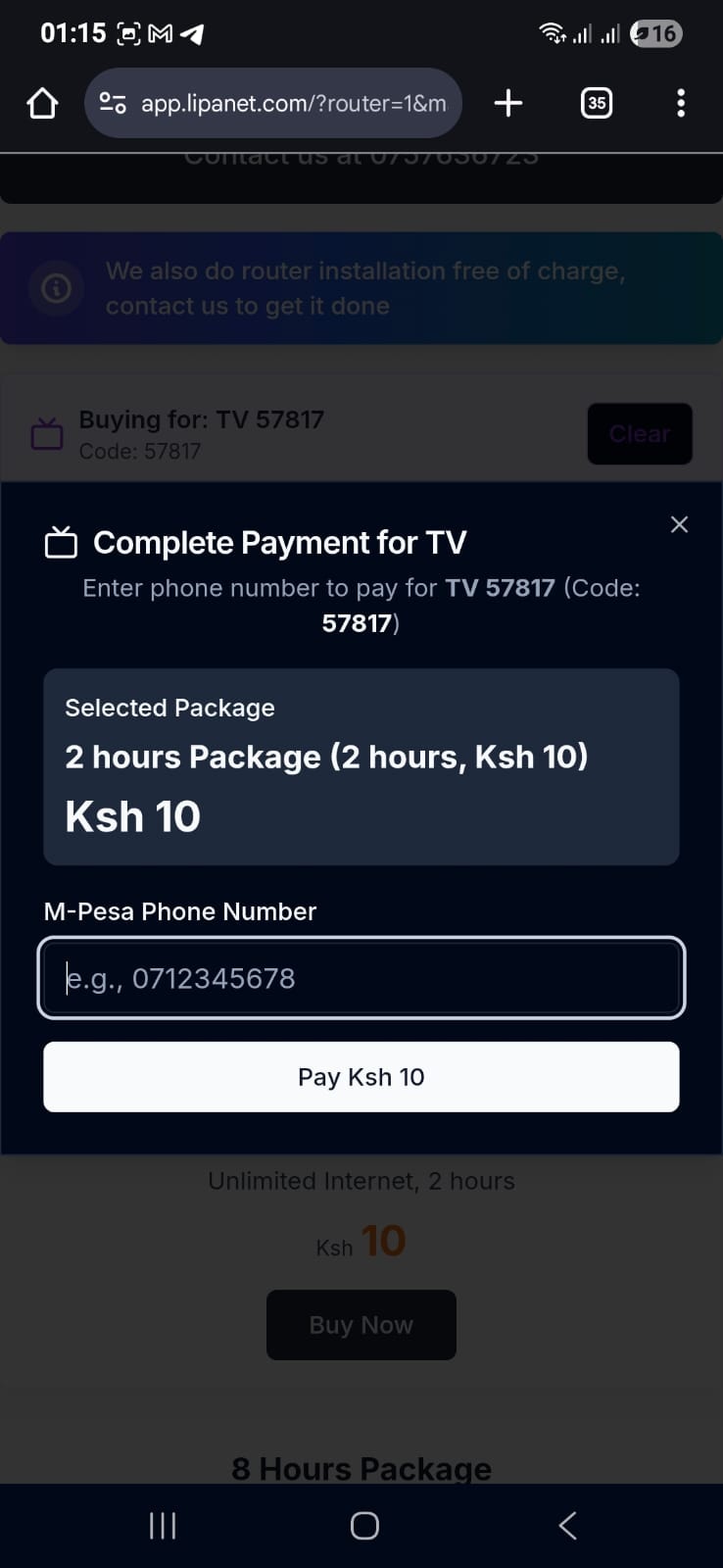 On the payment section, you will see **complete payment for Tv**, enter your phone number, pay, and you are connected