> ## Documentation Index
> Fetch the complete documentation index at: https://wiki.lipanet.com/llms.txt
> Use this file to discover all available pages before exploring further.

# Registration

> You need to have a Lipanet account. If you don't have one, create at https://registration.lipanet.com
<img src="https://mintcdn.com/lipanet/CHkqSTWLD8Dfg-Ob/images/image.png?fit=max&auto=format&n=CHkqSTWLD8Dfg-Ob&q=85&s=a9612208fa11bfe6650da34422cf55aa" alt="Image" width="1907" height="917" data-path="images/image.png" />

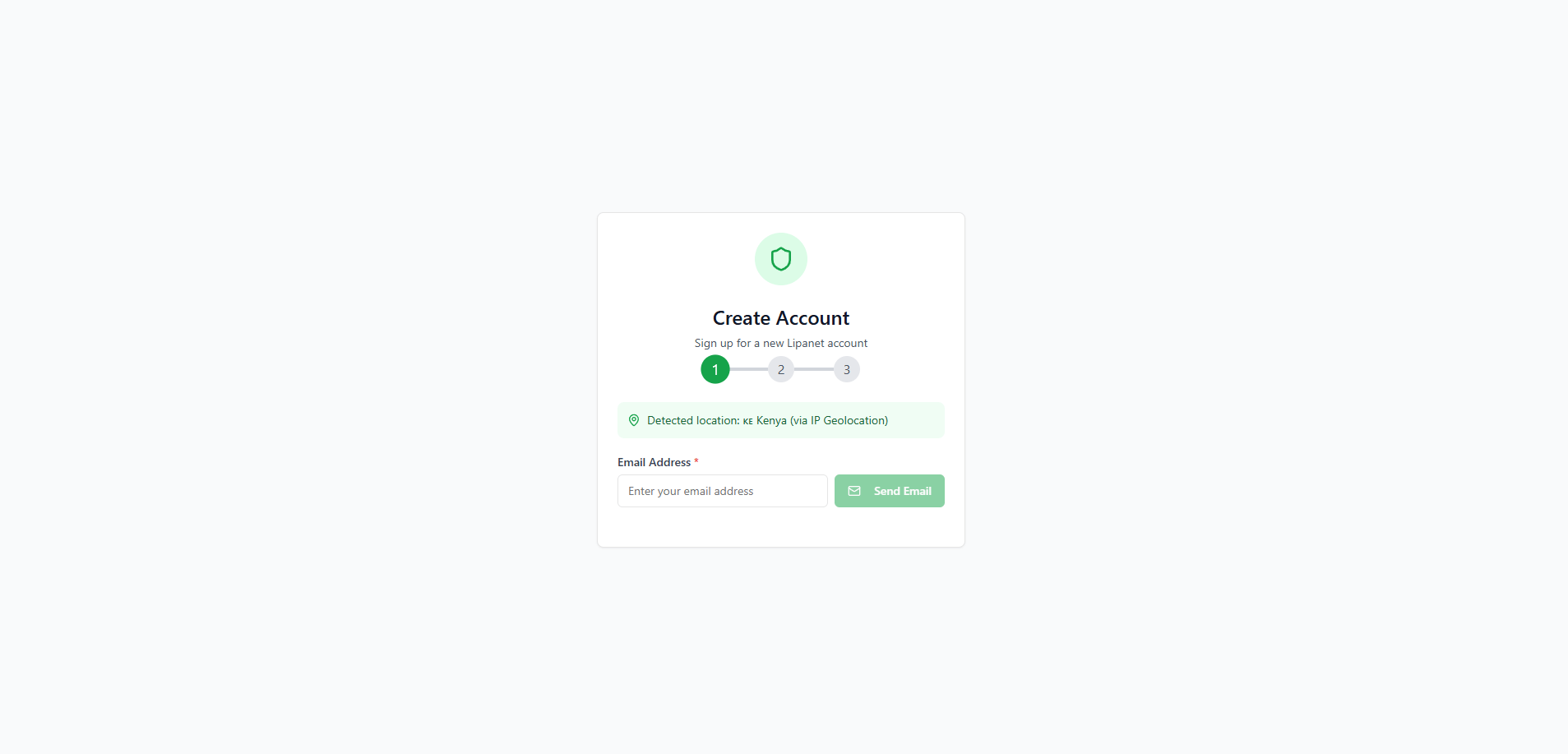
Enter your email  and check your inbox for verification
<img src="https://mintcdn.com/lipanet/ZUZgfkIDpjTbl9X4/images/Screenshot2026-01-01235002.png?fit=max&auto=format&n=ZUZgfkIDpjTbl9X4&q=85&s=ee83125cdd4ca675b3b7b87bffd2b3f2" alt="Screenshot2026 01 01235002" title="Screenshot2026 01 01235002" style={{ width:"65%" }} width="577" height="860" data-path="images/Screenshot2026-01-01235002.png" />

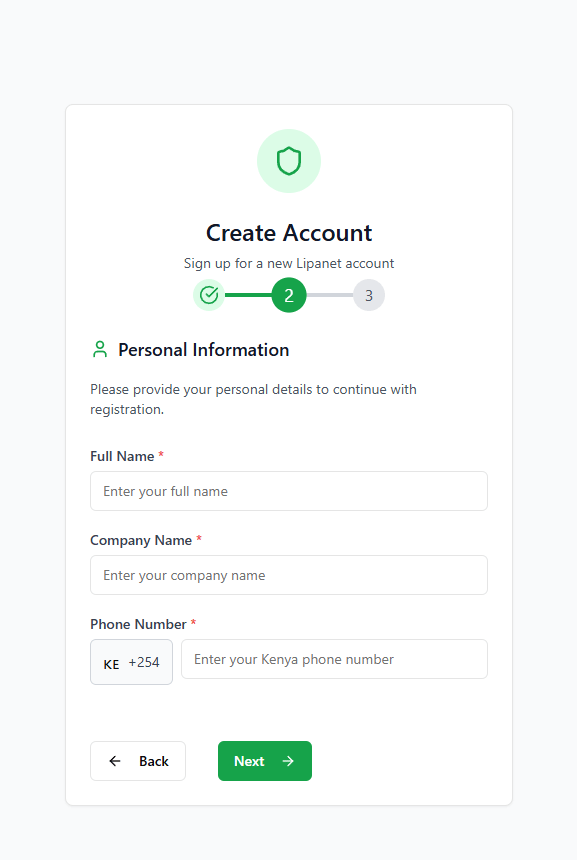
After verification, you will be prompted to enter your details
<img src="https://mintcdn.com/lipanet/ZUZgfkIDpjTbl9X4/images/Screenshot2026-01-01235114.png?fit=max&auto=format&n=ZUZgfkIDpjTbl9X4&q=85&s=39eeb4e8a81e751f5e4dc967ca3649a5" alt="Screenshot2026 01 01235114" title="Screenshot2026 01 01235114" style={{ width:"50%" }} width="527" height="942" data-path="images/Screenshot2026-01-01235114.png" />

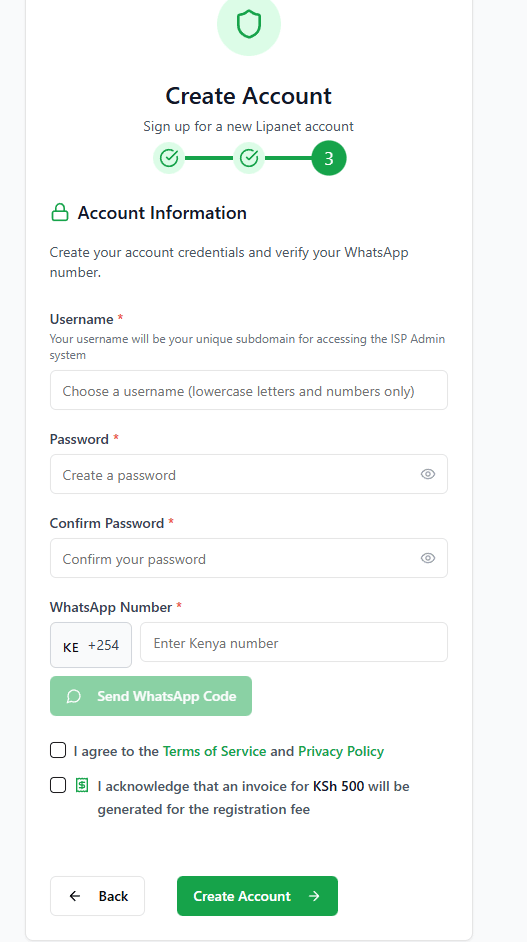
Finish up by verifying your whatsapp number

## Login to your account

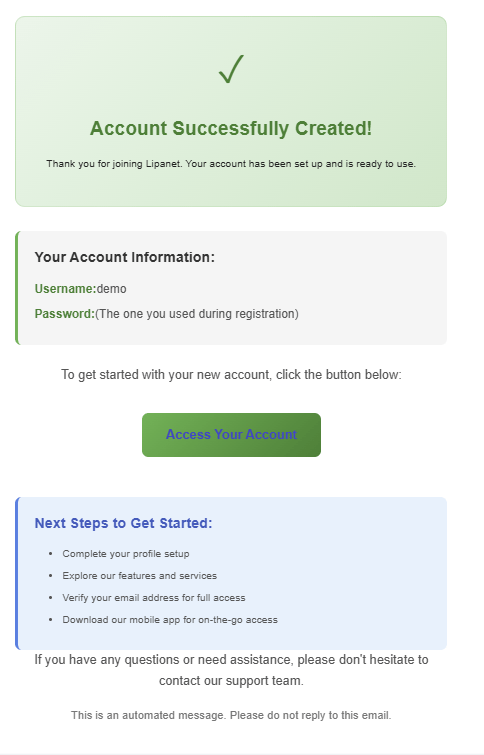
After creating an account, you will receive an email which contains your login link and your username
<img src="https://mintcdn.com/lipanet/ZUZgfkIDpjTbl9X4/images/Screenshot2026-01-02130639.png?fit=max&auto=format&n=ZUZgfkIDpjTbl9X4&q=85&s=77f9f93ea4fd311107da751769907271" alt="Screenshot2026 01 02130639" title="Screenshot2026 01 02130639" style={{ width:"56%" }} width="484" height="755" data-path="images/Screenshot2026-01-02130639.png" />

Click "Access Your Account"
