> ## Documentation Index
> Fetch the complete documentation index at: https://wiki.lipanet.com/llms.txt
> Use this file to discover all available pages before exploring further.
# Payment Gateway
Lipanet supports the following gateways
> * Mpesa Paybill
> * Mpesa till number
> * Bank Account
> * Sacco Paybill
## How to configure
On your account, proceed to Settings>gateways
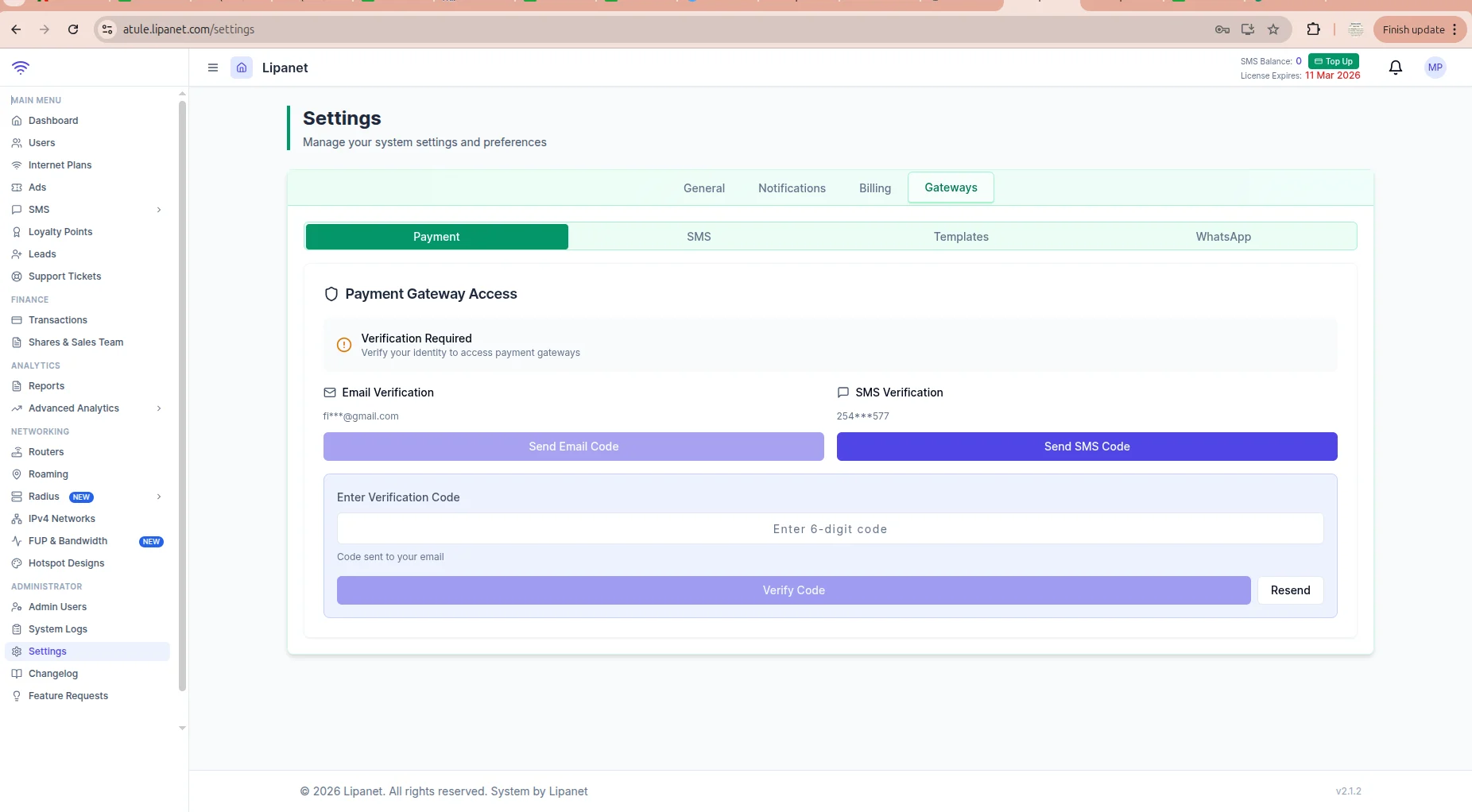
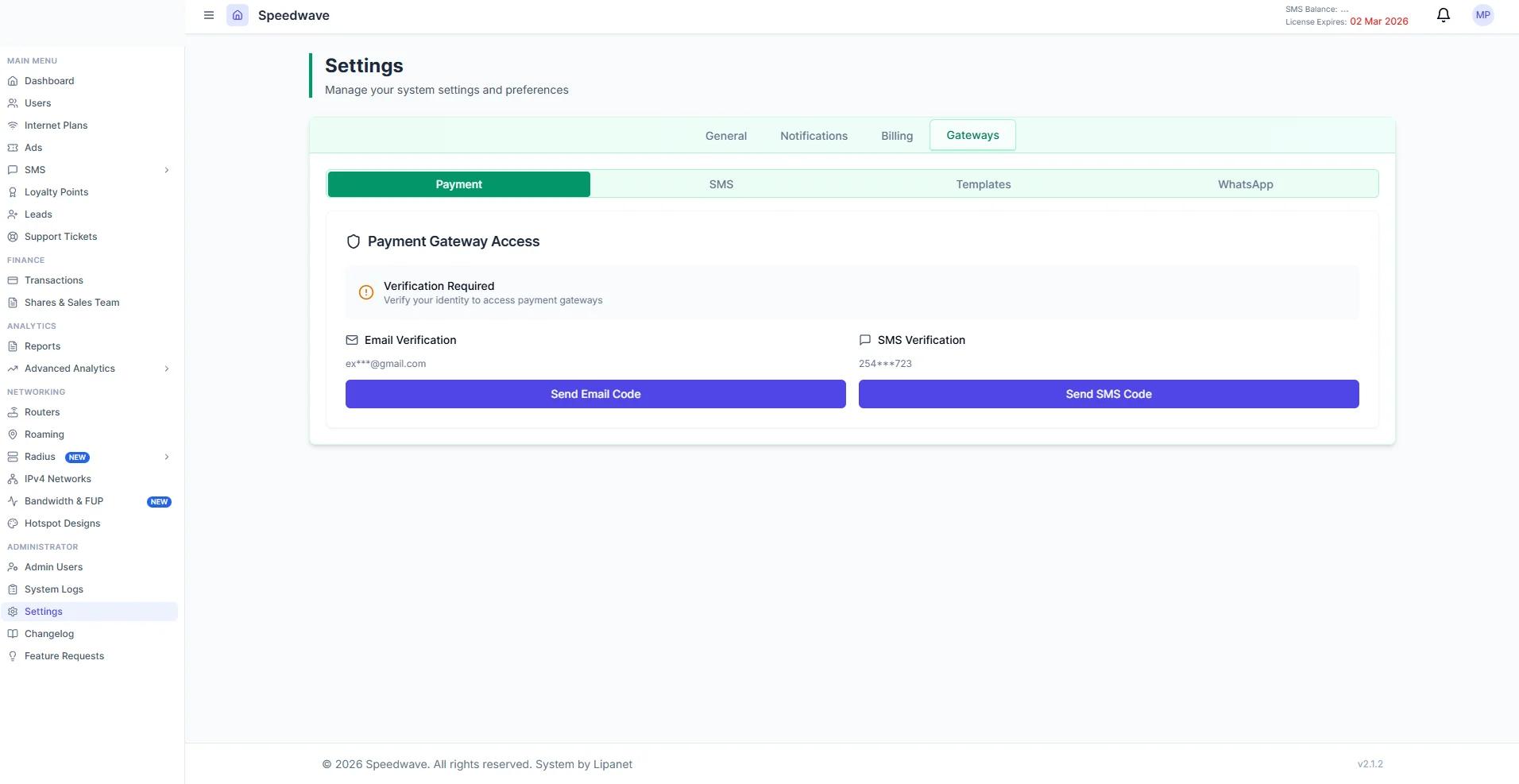 > You will be asked to verify the 2FA for security purposes. Enter the verification code sent to you via email or sms After clicking send email/sms code, a field for code will appear, enter it to complete your 2FA verification\
> \
> **Please note\
> If you do not have sms configured, use email verification, it is free**
> You will be asked to verify the 2FA for security purposes. Enter the verification code sent to you via email or sms After clicking send email/sms code, a field for code will appear, enter it to complete your 2FA verification\
> \
> **Please note\
> If you do not have sms configured, use email verification, it is free**
 After verifying via 2FA, you will see a page like in the screenshot below, enter your desired gateway, and do not forget to tick the \*\*SET AS DEFAULT \*\*button
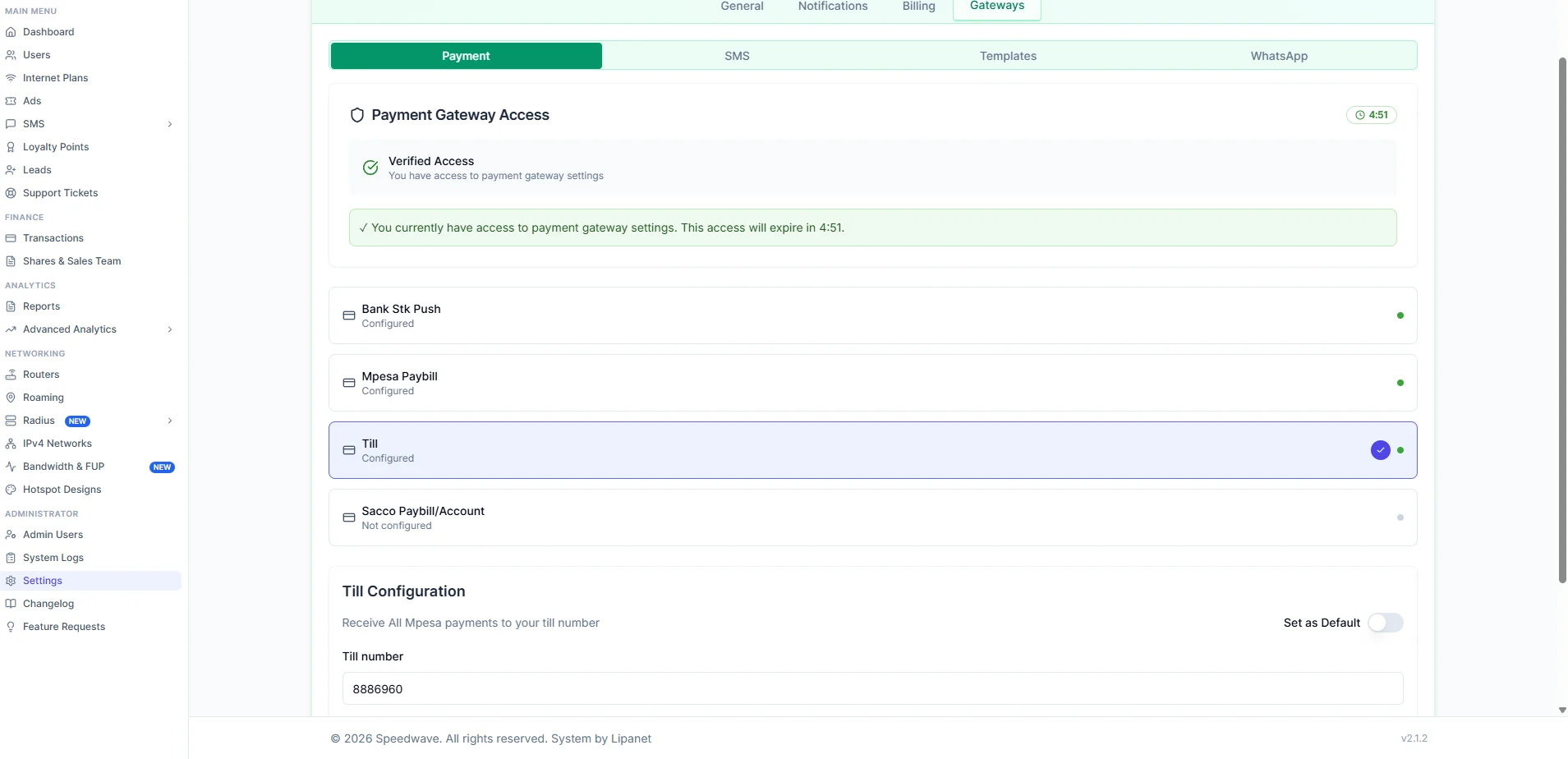 After entering, click save settings to apply changes
***
After entering, click save settings to apply changes
***