> ## Documentation Index
> Fetch the complete documentation index at: https://wiki.lipanet.com/llms.txt
> Use this file to discover all available pages before exploring further.
# Customer Detail Page
> Everything you can see and do from a customer's full profile page.
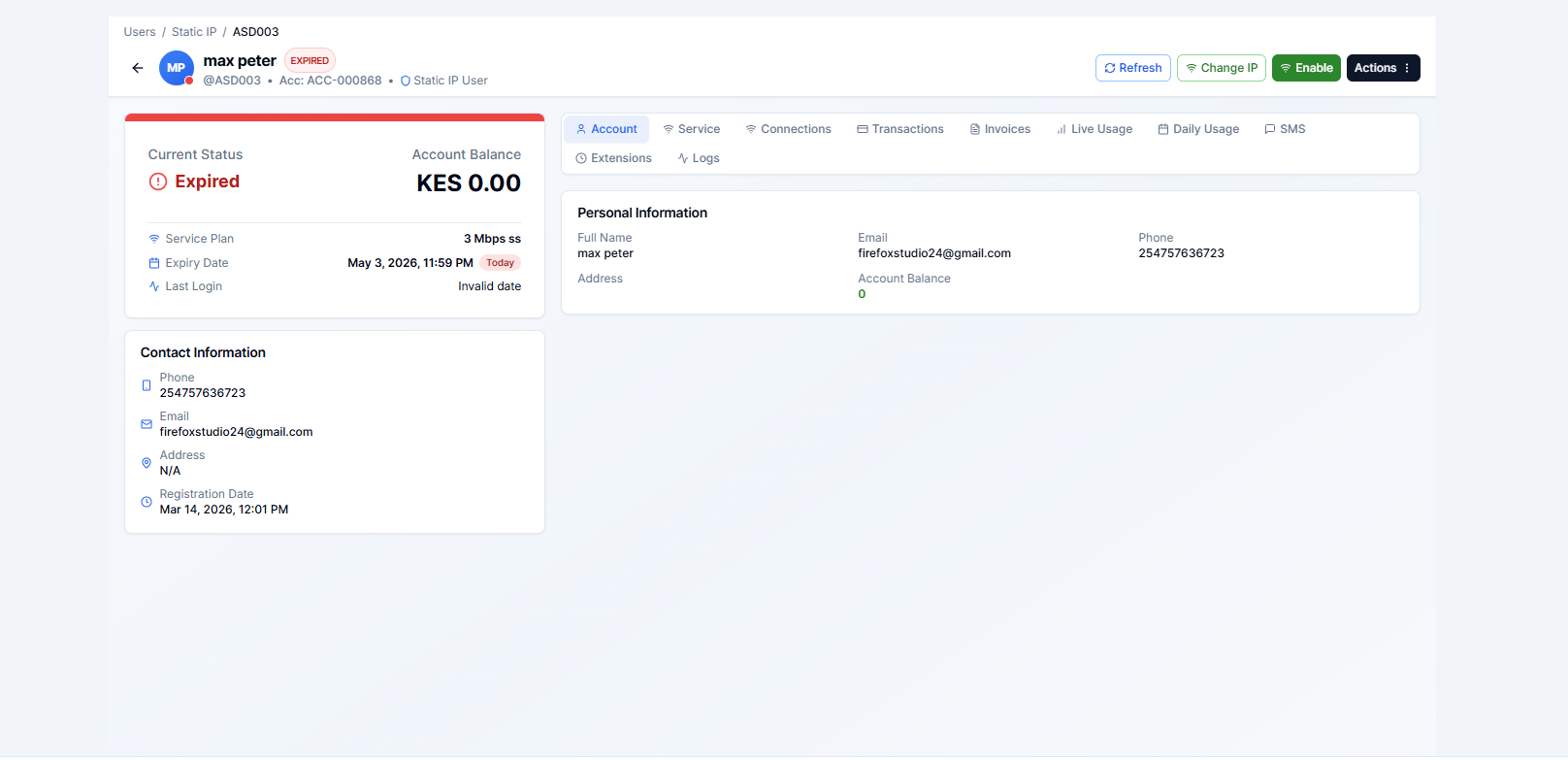
Clicking any customer's name in the user list opens their **detail page**. This is the main workspace for managing an individual subscriber — viewing their status, recording payments, changing plans, viewing history, and more.
 ***
## Status Banner
The top of the page shows the customer's current status with a colour-coded badge:
| Status | Meaning |
| ------------- | ---------------------------------- |
| **Active** | Currently subscribed and connected |
| **Expired** | Subscription period has ended |
| **Suspended** | Manually blocked by staff |
| **Inactive** | Never activated or was cancelled |
***
## Action Buttons
Depending on the customer's current status, different action buttons appear at the top right:
***
## Status Banner
The top of the page shows the customer's current status with a colour-coded badge:
| Status | Meaning |
| ------------- | ---------------------------------- |
| **Active** | Currently subscribed and connected |
| **Expired** | Subscription period has ended |
| **Suspended** | Manually blocked by staff |
| **Inactive** | Never activated or was cancelled |
***
## Action Buttons
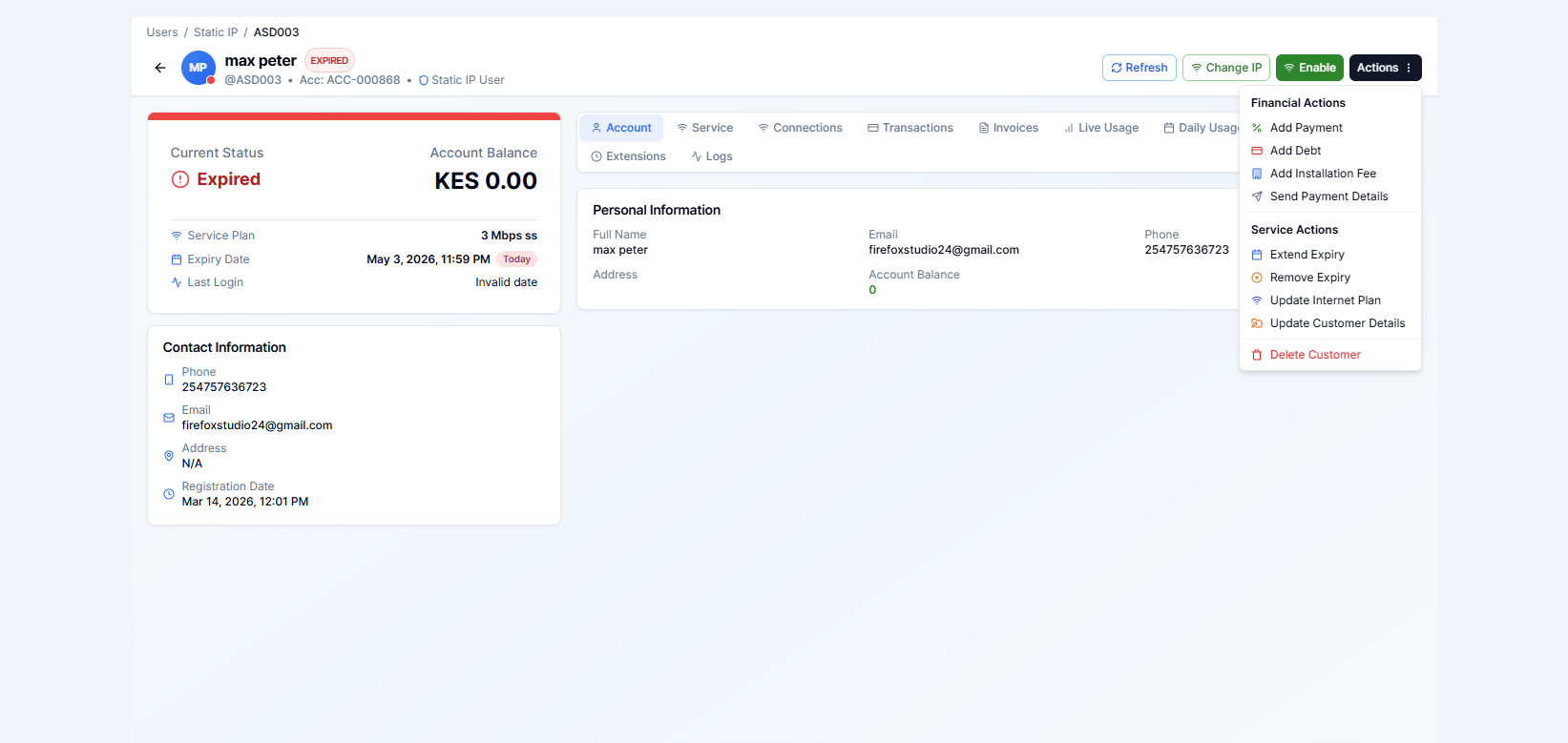
Depending on the customer's current status, different action buttons appear at the top right:
 | Action | When it appears | What it does |
| ------------------------ | --------------- | ----------------------------------------------------------- |
| **Add Payment** | Always | Records a new payment and renews/activates the subscription |
| **Add Debt** | Always | Records an amount the customer owes without activating yet |
| **Extend Expiry** | Active/Expired | Adds days to the current expiry without a payment |
| **Change Plan** | Always | Switches the customer to a different internet plan |
| **Send Payment Details** | Always | Sends an SMS with account number and payment instructions |
| **Disconnect** | Active | Forces the customer off the router immediately |
| **Suspend** | Active | Blocks access without deleting the account |
| **Unsuspend** | Suspended | Restores access |
| **Delete** | Always | Permanently removes the customer |
***
## Detail Tabs
The customer profile is split into tabs. Click each tab to view that section.
| Action | When it appears | What it does |
| ------------------------ | --------------- | ----------------------------------------------------------- |
| **Add Payment** | Always | Records a new payment and renews/activates the subscription |
| **Add Debt** | Always | Records an amount the customer owes without activating yet |
| **Extend Expiry** | Active/Expired | Adds days to the current expiry without a payment |
| **Change Plan** | Always | Switches the customer to a different internet plan |
| **Send Payment Details** | Always | Sends an SMS with account number and payment instructions |
| **Disconnect** | Active | Forces the customer off the router immediately |
| **Suspend** | Active | Blocks access without deleting the account |
| **Unsuspend** | Suspended | Restores access |
| **Delete** | Always | Permanently removes the customer |
***
## Detail Tabs
The customer profile is split into tabs. Click each tab to view that section.
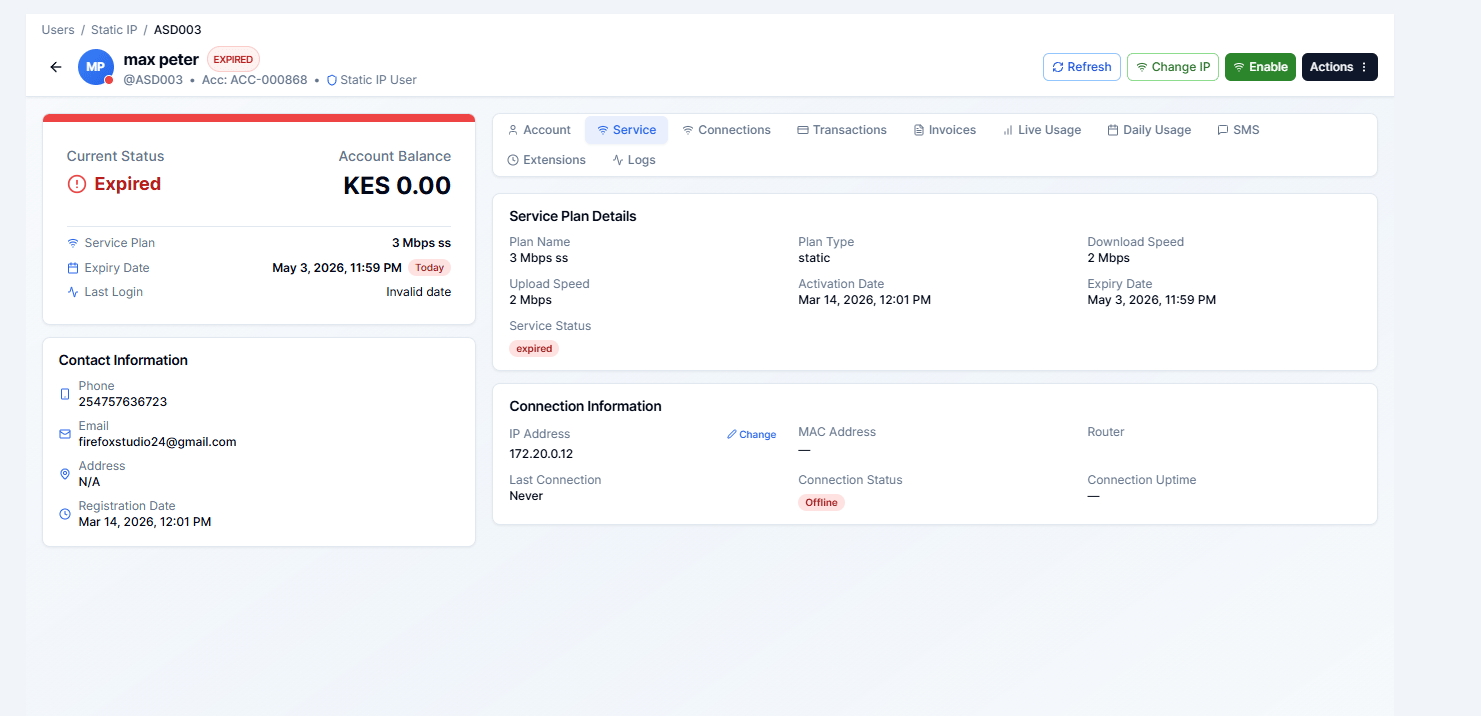 * Full name, phone, email
* Username and password (masked)
* Current plan, speed, and data limit
* IP address assigned
* Account creation date
**Edit options available:**
* Update personal details (name, phone, email)
* Change username / password
* Update IP address
* Add or change the additional account number
***
### Transactions Tab
Full list of all payment transactions linked to this customer.
* Full name, phone, email
* Username and password (masked)
* Current plan, speed, and data limit
* IP address assigned
* Account creation date
**Edit options available:**
* Update personal details (name, phone, email)
* Change username / password
* Update IP address
* Add or change the additional account number
***
### Transactions Tab
Full list of all payment transactions linked to this customer.
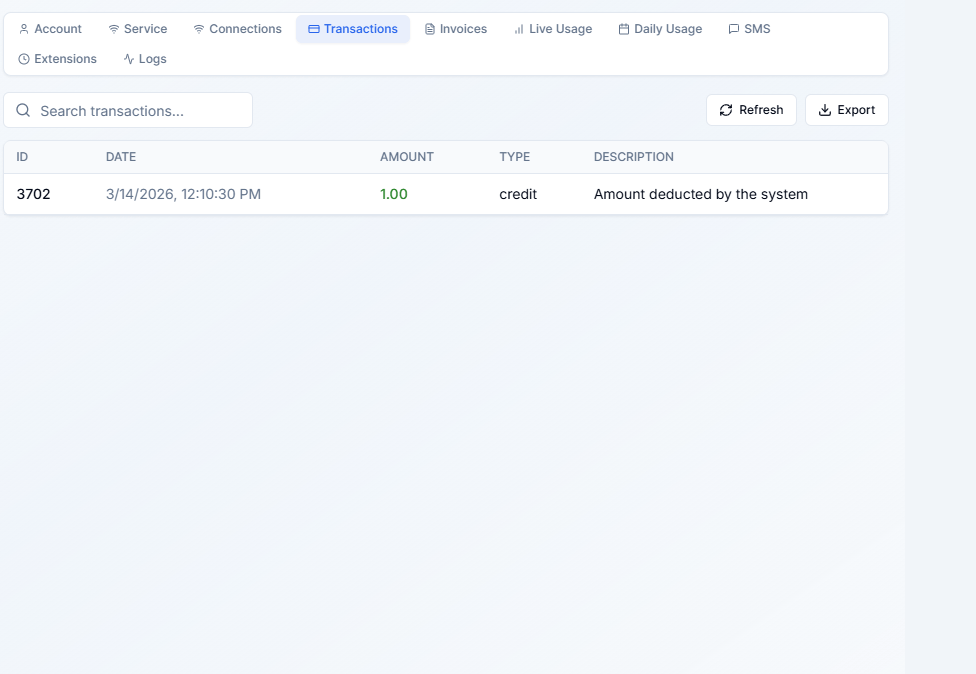 * Date and amount of each payment
* Payment method (M-Pesa, cash, bank)
* M-Pesa reference number (if applicable)
* Staff member who recorded the payment
* Balance adjustments and debt records
***
### Invoices Tab
Shows all invoices generated for this customer.
* Date and amount of each payment
* Payment method (M-Pesa, cash, bank)
* M-Pesa reference number (if applicable)
* Staff member who recorded the payment
* Balance adjustments and debt records
***
### Invoices Tab
Shows all invoices generated for this customer.
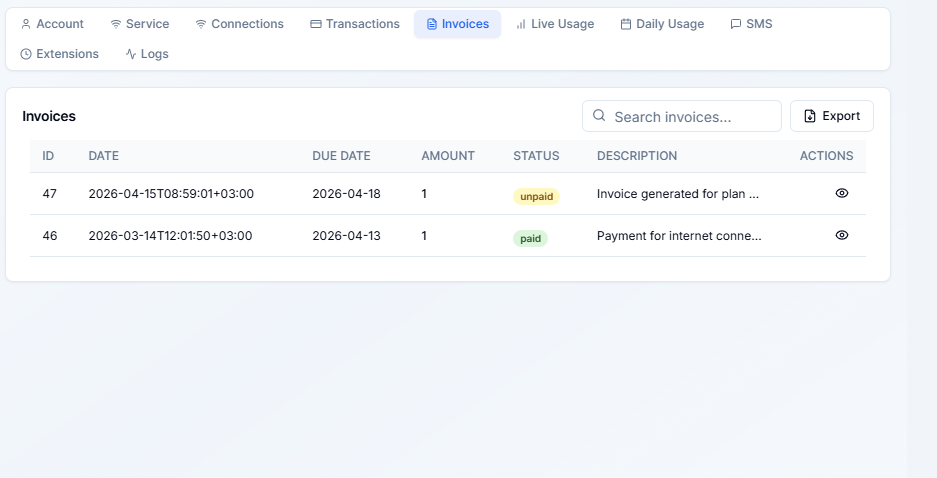 * Invoice number, date, and amount
* Status: Paid / Unpaid / Partially Paid
* Click any invoice to open and print or download a PDF
***
### Sub Accounts Tab
Lists all [child accounts](/customers/child-accounts) linked under this customer.
* Invoice number, date, and amount
* Status: Paid / Unpaid / Partially Paid
* Click any invoice to open and print or download a PDF
***
### Sub Accounts Tab
Lists all [child accounts](/customers/child-accounts) linked under this customer.
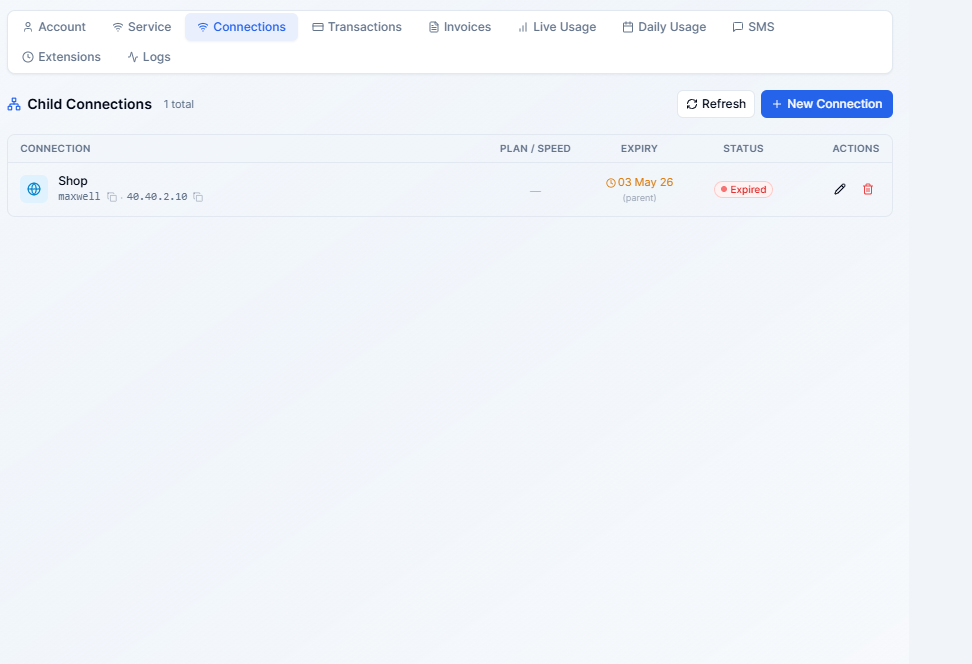 * Add new child accounts
* Edit or suspend/delete existing child accounts
* View each child's status, plan, and expiry
***
### Live Usage Tab
Shows real-time bandwidth consumption for the current session.
* Add new child accounts
* Edit or suspend/delete existing child accounts
* View each child's status, plan, and expiry
***
### Live Usage Tab
Shows real-time bandwidth consumption for the current session.
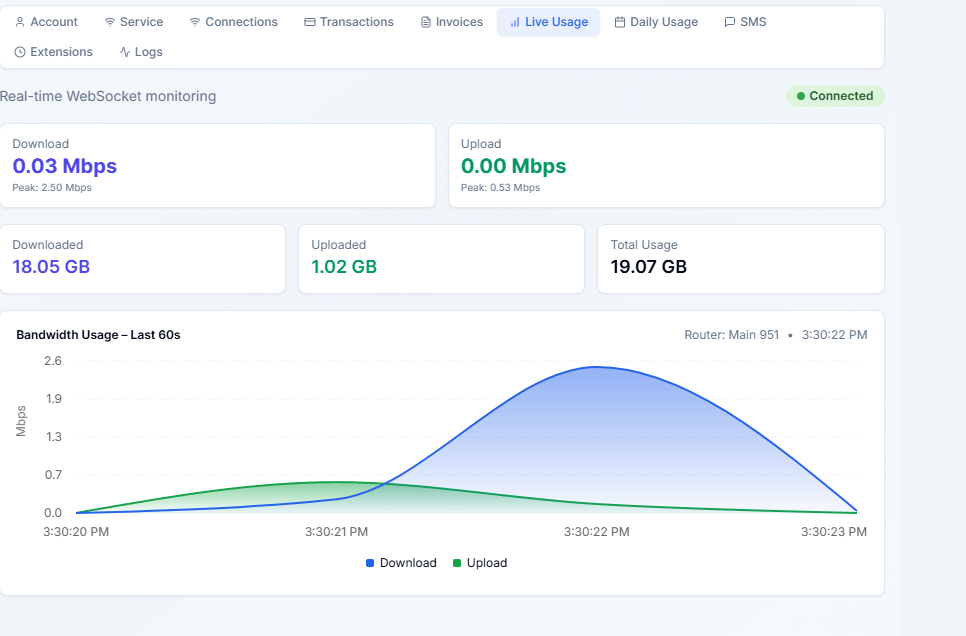 * Current download and upload speed (live-refreshing)
* Data used in the current session
* Session start time and duration
Live Usage data is only visible when the customer has an active RADIUS session.
***
### Daily Usage Tab
Shows a daily breakdown of data consumed over time.
* Current download and upload speed (live-refreshing)
* Data used in the current session
* Session start time and duration
Live Usage data is only visible when the customer has an active RADIUS session.
***
### Daily Usage Tab
Shows a daily breakdown of data consumed over time.
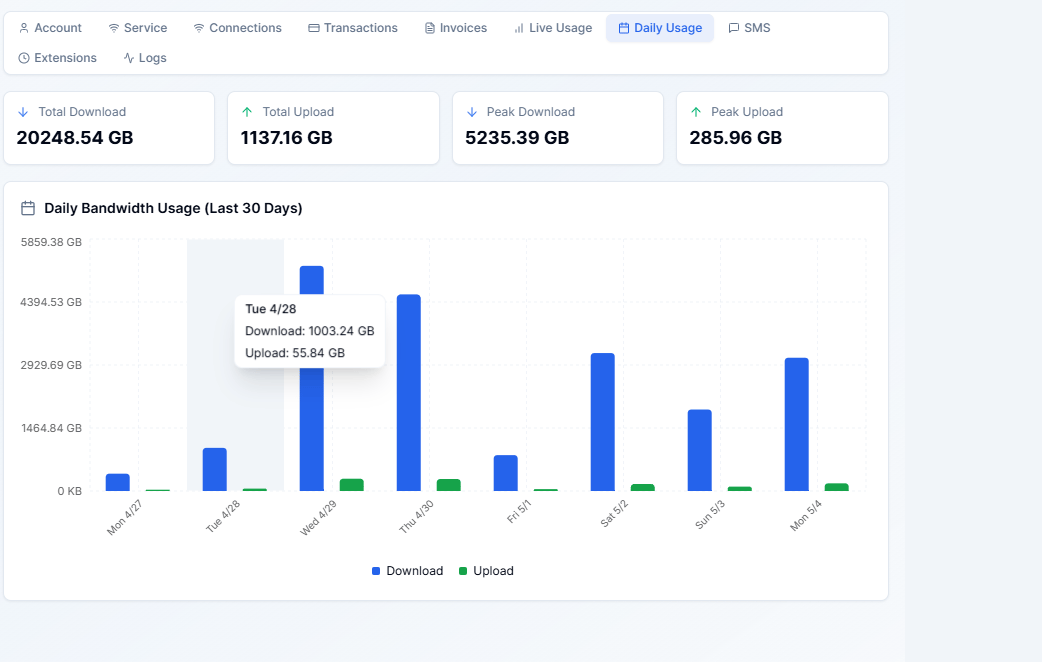 * Bar chart of daily upload and download volumes
* Date range picker to zoom in or out
* Total data used per day
***
### Extension History Tab
A log of every time this customer's expiry was manually extended (without a payment).
* Bar chart of daily upload and download volumes
* Date range picker to zoom in or out
* Total data used per day
***
### Extension History Tab
A log of every time this customer's expiry was manually extended (without a payment).
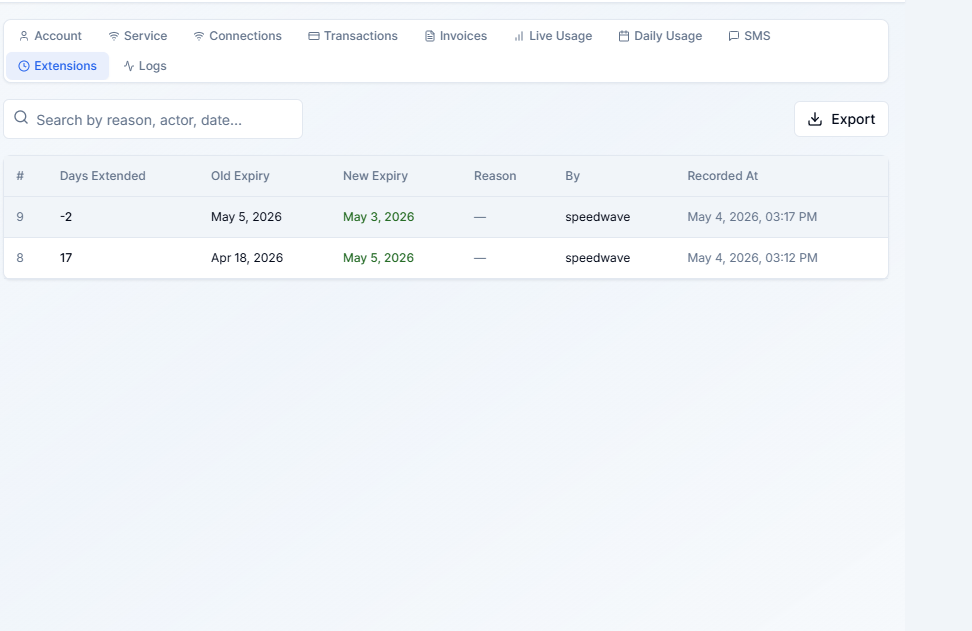 * Date of extension
* Days added
* Staff member who approved the extension
***
### SMS History Tab
All SMS messages sent to this customer from Lipanet Portal.
* Date of extension
* Days added
* Staff member who approved the extension
***
### SMS History Tab
All SMS messages sent to this customer from Lipanet Portal.
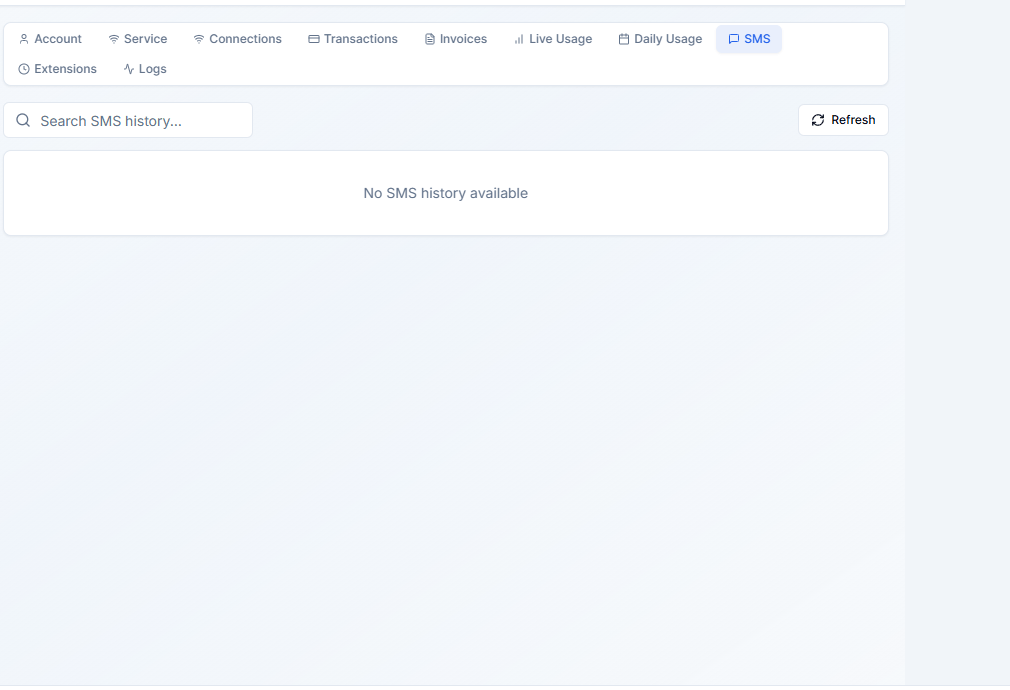 * Message content
* Sent date and time
* Delivery status
***
### Logs Tab
An audit trail of all changes made to this customer's account.
* Message content
* Sent date and time
* Delivery status
***
### Logs Tab
An audit trail of all changes made to this customer's account.
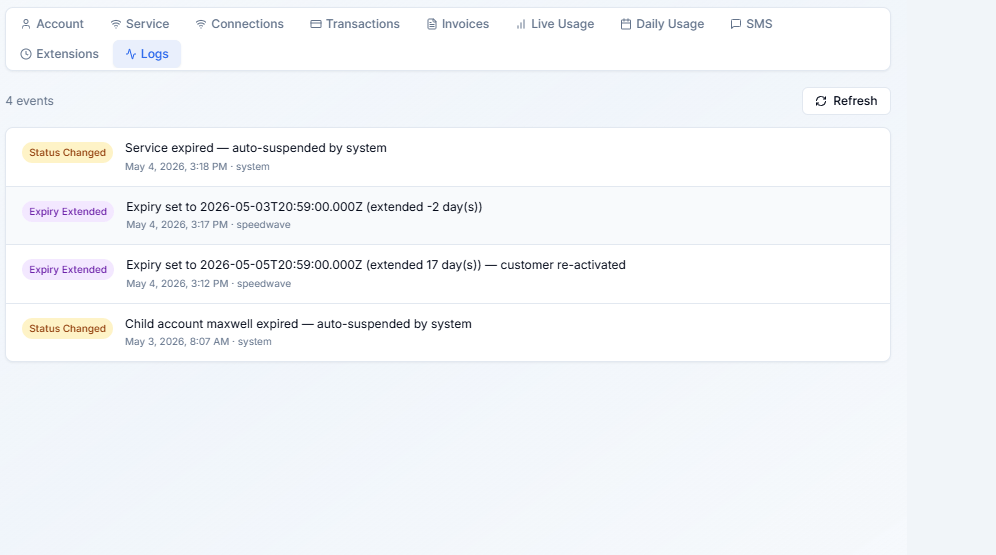 * Who made each change and when
* What was changed (plan, IP, password, status, etc.)
***
## Recording a Payment
1. Click **Add Payment** at the top of the customer detail page.
2. Select the payment method.
3. Enter the amount. For M-Pesa, paste the transaction code.
4. Choose whether to activate the plan immediately.
5. Click **Save Payment**.
* Who made each change and when
* What was changed (plan, IP, password, status, etc.)
***
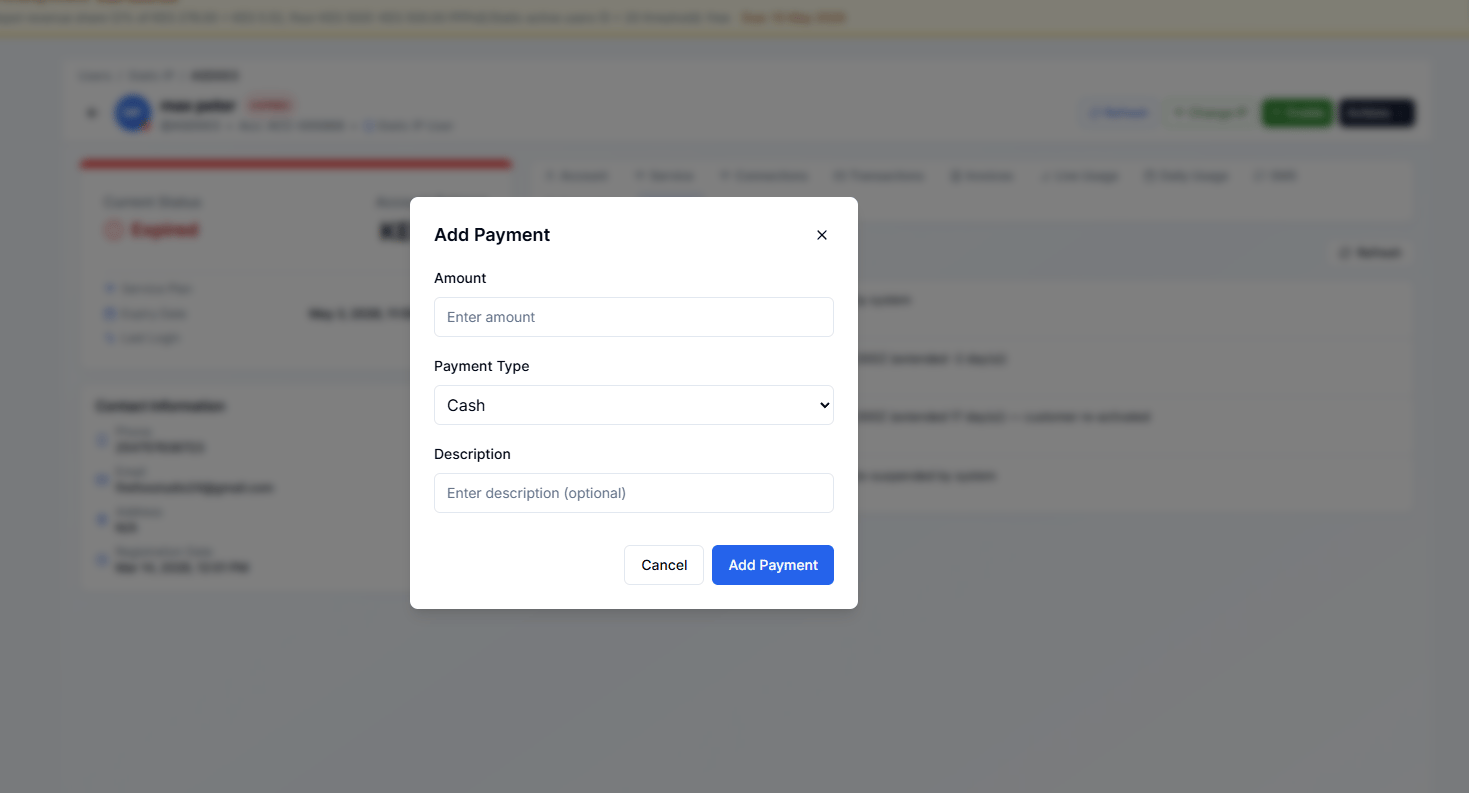
## Recording a Payment
1. Click **Add Payment** at the top of the customer detail page.
2. Select the payment method.
3. Enter the amount. For M-Pesa, paste the transaction code.
4. Choose whether to activate the plan immediately.
5. Click **Save Payment**.
 ***
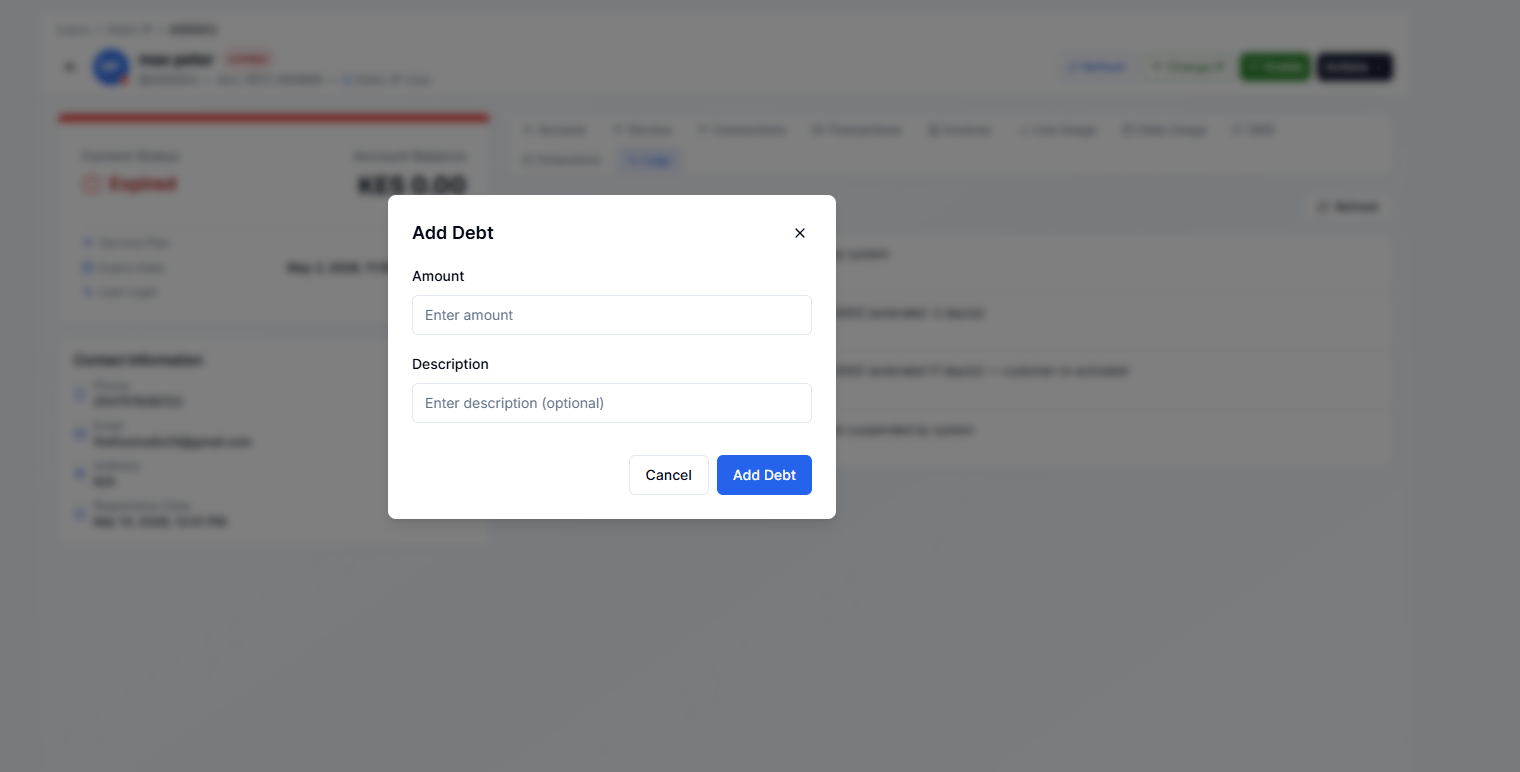
## Recording a Debt
Use **Add Debt** when a customer's plan should start but they haven't paid yet (e.g. credit arrangement).
1. Click **Add Debt**.
2. Enter the amount owed.
3. Optionally add a note.
4. Click **Save**.
The debt appears in the Transactions tab. When the customer pays later, record a normal payment — it will be reconciled against the outstanding debt.
***
## Recording a Debt
Use **Add Debt** when a customer's plan should start but they haven't paid yet (e.g. credit arrangement).
1. Click **Add Debt**.
2. Enter the amount owed.
3. Optionally add a note.
4. Click **Save**.
The debt appears in the Transactions tab. When the customer pays later, record a normal payment — it will be reconciled against the outstanding debt.
 ***
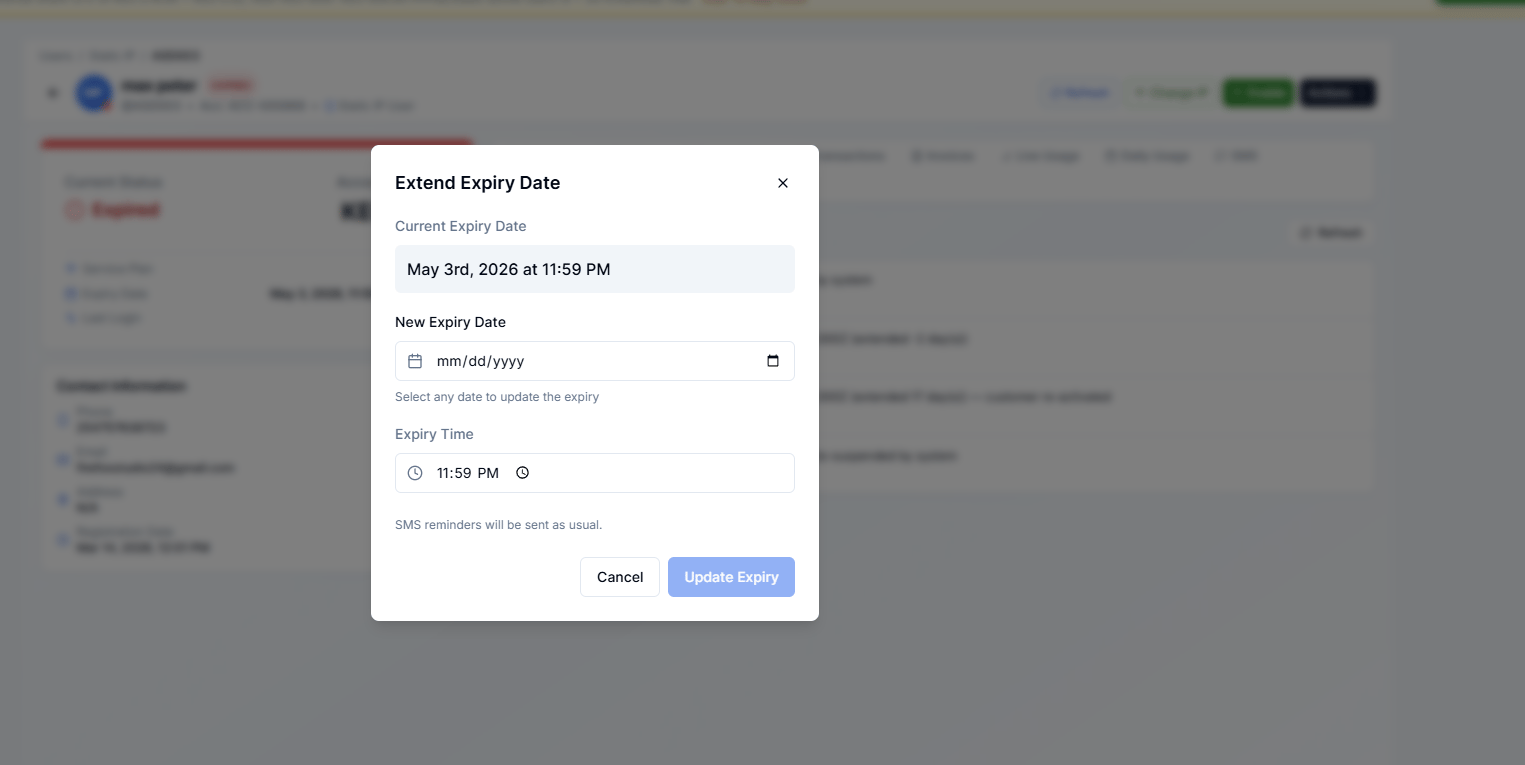
## Extending Expiry
Use **Extend Expiry** when you want to give a customer more time without recording a payment (e.g. goodwill, complaint resolution).
1. Click **Extend Expiry**.
2. Enter the number of days to add, or pick a new expiry date.
3. Optionally add a reason.
4. Click **Extend**.
***
## Extending Expiry
Use **Extend Expiry** when you want to give a customer more time without recording a payment (e.g. goodwill, complaint resolution).
1. Click **Extend Expiry**.
2. Enter the number of days to add, or pick a new expiry date.
3. Optionally add a reason.
4. Click **Extend**.
 ***
## Sending Payment Details via SMS
Click **Send Payment Details** to SMS the customer their account number and payment instructions.
***
## Sending Payment Details via SMS
Click **Send Payment Details** to SMS the customer their account number and payment instructions.
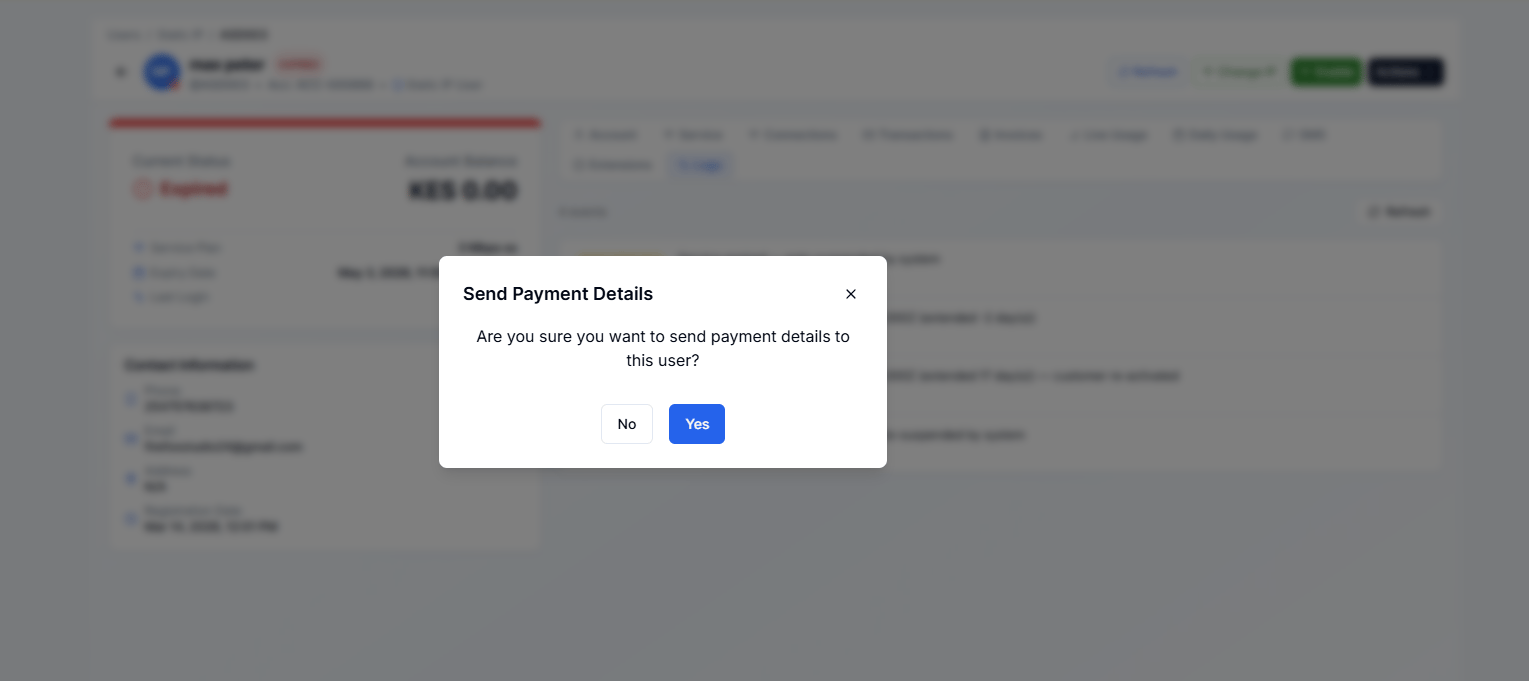 This is especially useful right after creating a new customer — send them their credentials and payment info in one step.