> ## Documentation Index
> Fetch the complete documentation index at: https://wiki.lipanet.com/llms.txt
> Use this file to discover all available pages before exploring further.
# Change-customer-ip
In Lipanet, you can smoothly change your customer's ip address and assign a new one\
This can be helpful if the customer was given the rogue IP (by our radius firewall) due to a password mismatch. To do this, proceed to users.
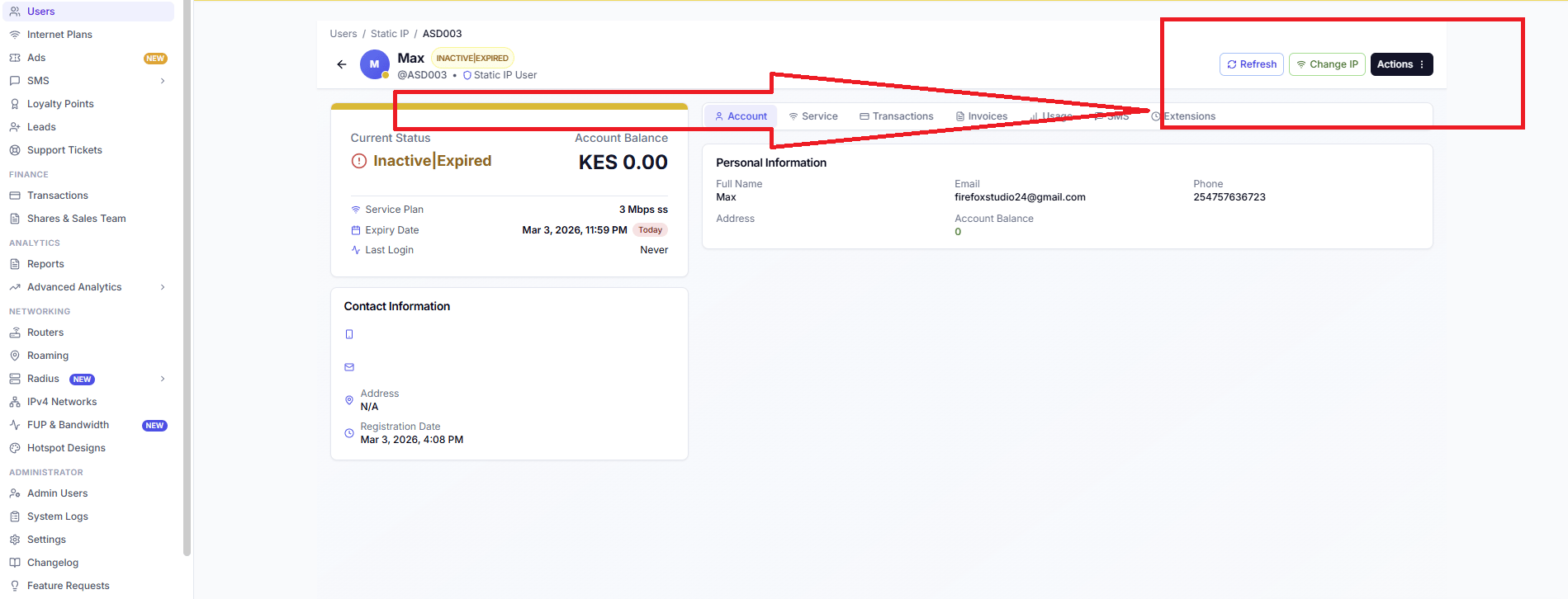
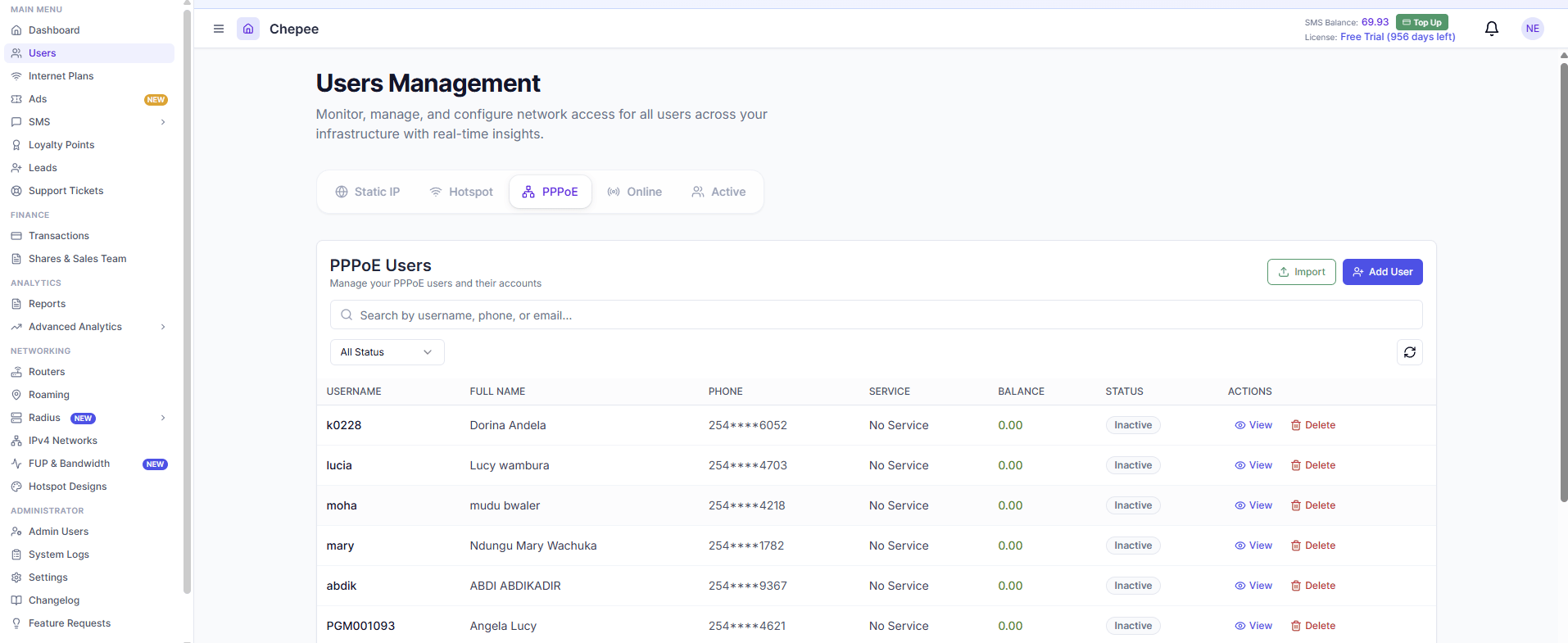 Click View. You will be redirected to the customer's page. At the top, you will see several icons. There is a change IP Icon,
 Then select your new IP
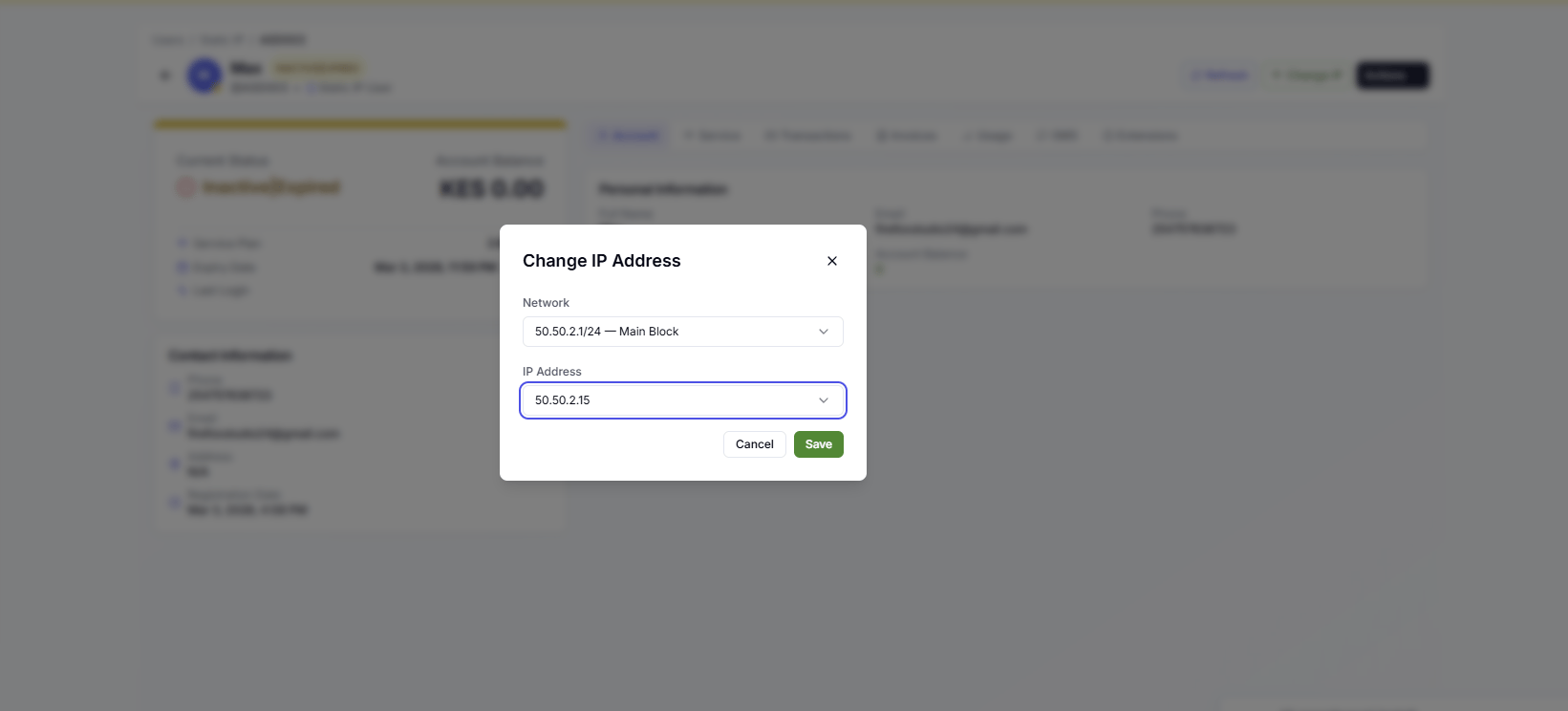 Click save, and the new customer config will be pushed immediately